
Differentiate Reading Instruction using Edcafe
By Molly Yang, University of Michigan, Yue Yang, Peking University, and Wenying Zhou, Michigan State University



DOI: https://www.doi.org/10.69732/DMYI3866
Introduction
As language teachers, meeting the diverse needs of students can be overwhelming and time-consuming. We often have to create everything–reading materials, lesson plans, vocabulary, etc.–from scratch, for students who have different proficiency levels and needs. In recent years, AI-powered tools have given us new ways to create customized content for our students.
General-purpose AI products (e.g. ChatGPT) often require a moderate level of prompt engineering to create educational materials. These are not designed to understand what educators want to accomplish, and require more effort spent writing detailed instructions, configuring settings, or refining AI output.
Edcafe is designed for teachers, and has dedicated tools to create differentiated content, streamline lesson planning, create interactive learning materials like quizzes and flashcards, assess student work, and monitor learning progress. In this article, we are going to focus on a subset of Edcafe tools used to create language teaching content that can be adapted for multiple proficiency levels.
| Name of the tool | Edcafe |
| URL | https://www.Edcafe.ai/ |
| Primary purpose of the tool | An AI-powered platform to help educators create, manage, and deliver engaging learning experiences more efficiently |
| Cost |
|
| Ease of use | Easy to use, particularly for those who want to create materials without learning complex AI prompting or technical tools |
Overview
Edcafe supports 39 different languages, including Chinese, Spanish, French, German, Italian, Japanese, and Korean. It has many different tools that are useful for teachers (see Picture 1 below), including an AI chatbot, planning lessons, making a quiz around any text, making a quiz around a YouTube video, creating flashcards for revision, designing reading activities, making presentation slides, etc. We think that their suite of tools has a unified and intuitive enough user flow that knowledge is transferable across the tools, i.e. if you learn how to use one, you’ll quickly learn how to use them all.
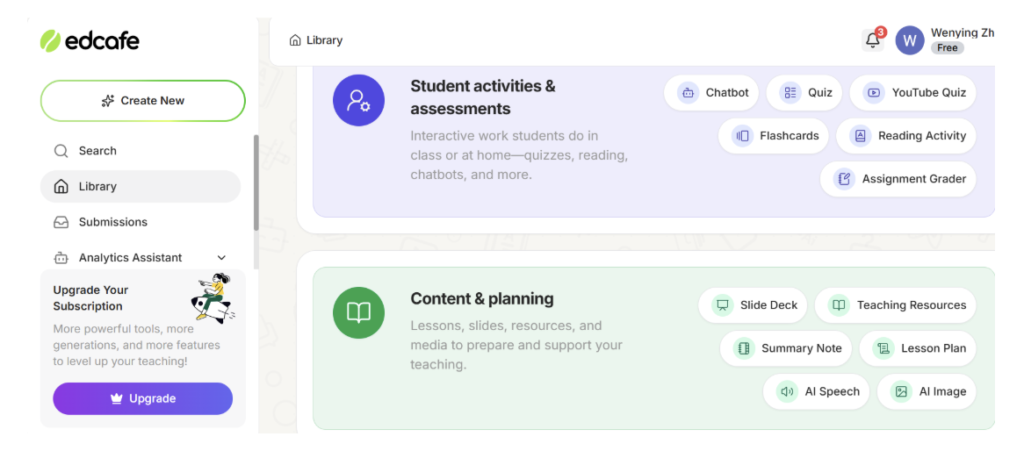
Edcafe has five features we found useful for differentiation across all of its different tools: “Additional Instructions”, “Snippets”, question types and count in quizzes, multimodal options to meet students’ learning needs such as proficiency and interests, and Custom Chatbots. Here is how we used these features in Edcafe’s “Reading Activity” tool to adapt materials for different student needs. We focus on “Reading Activity” here, but the same features can also be used in other Edcafe tools, including “Lesson Plan”, “Slide Deck”, “Quiz”, and “Chatbot.”Note: we used this for language instruction, but Edcafe can be used by all teachers.
How to Differentiate Reading Activities
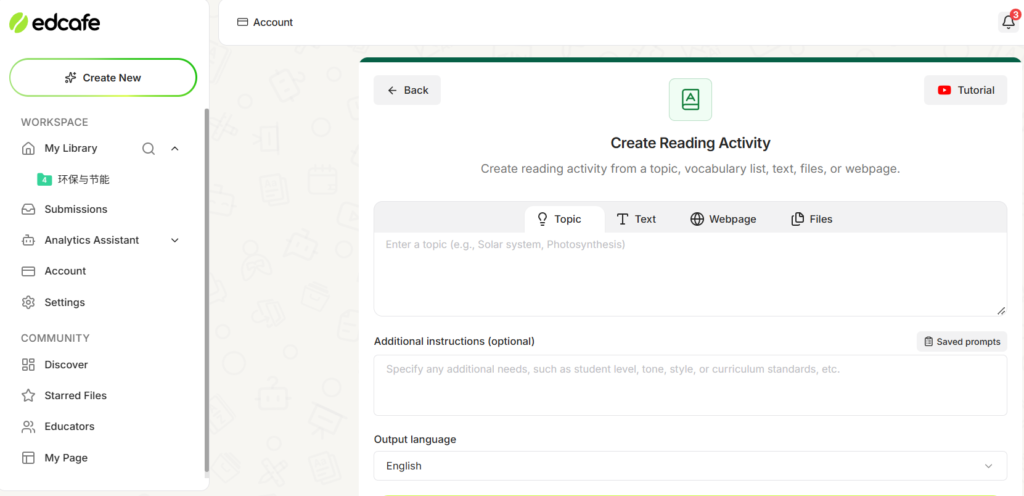
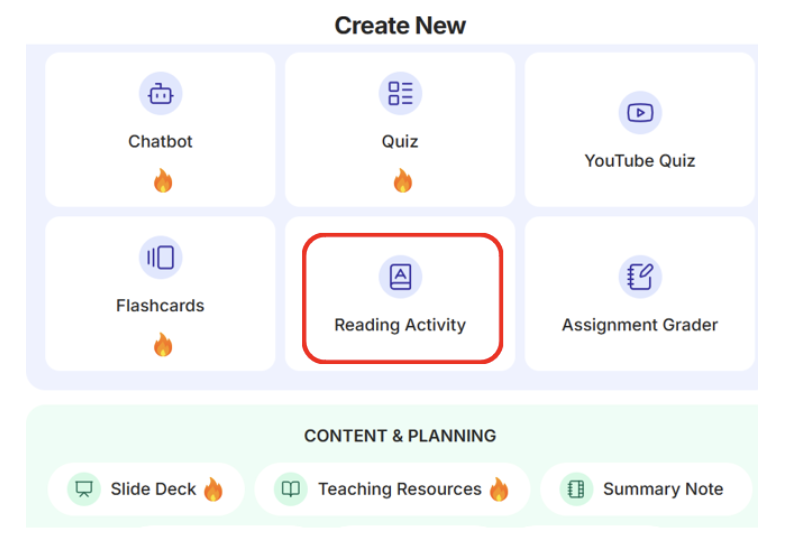
First, we created an account at Edcafe.ai (an account is required, but set up is free). We clicked on “Create New”, then selected “Reading Activity” from the tools.
There are a couple of input options here. The tool can create a complete reading passage based on a chosen topic, existing text, webpages, or file upload.
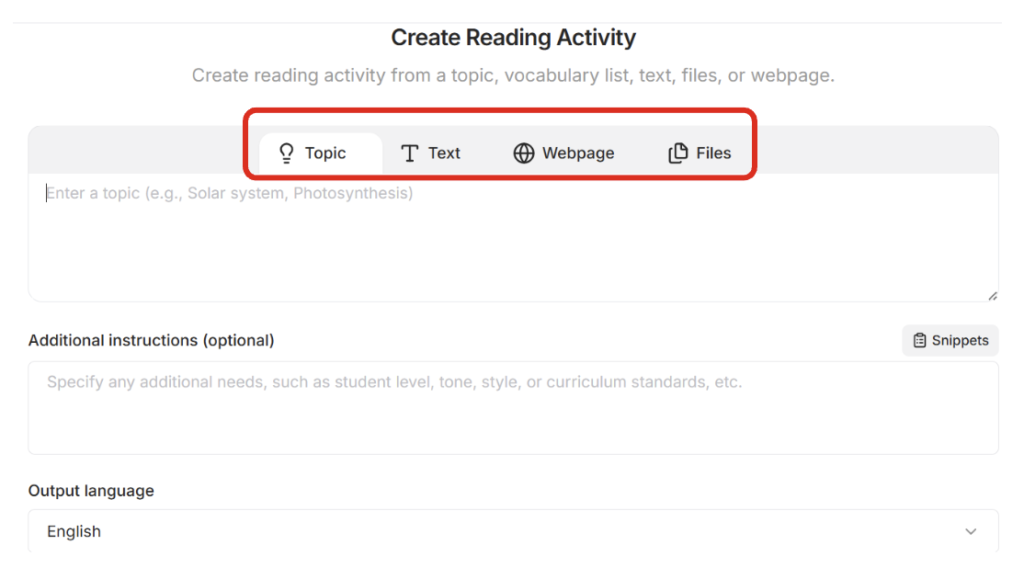
In our case, we wanted to create differentiated reading materials for English as a Foreign Language (EFL) learners with different language proficiency levels. We also tried Chinese as Foreign Language (CFL). The need for differentiated materials is quite common in language instruction, where we have a class of students that can range from heritage speakers who are comfortable talking about everyday topics but not subjects beyond personal experiences, to second-language learners whose primary language exposure is through the classroom. It is necessary to note that in this experiment, we used the free version and some other features are limited to the pro version.
The topic we used was “Christmas.” Giving Edcafe clear but specific instructions helps tailor the differentiated material more closely to our needs, and can be further tailored for tone, style, grade level, or curriculum standards. In “Additional Instructions,” we added: “create a passage for first grade EFL learners.” This can be further tailored by specifying other things like tone, style, grade level, or curriculum standards to meet the unique needs of the students.
Here, we discovered that unfortunately, Edcafe only allows prompting one Reading Activity at a time in the free version. So, we were left with two options. The first option was to start with one level, e.g. first-grade, then after finishing, move on to the next level, and so on. Note: in the Pro version, Edcafe allows access to their “Snippets” feature, shown on the right top of Picture 4, which is advertised to allow users to save reusable prompt templates that we imagine could streamline the process for creating differentiated reading materials (Picture 3). After writing or refining a good prompt, like specific tone guidelines, formatting rules, or question styles, users can click “Create Snippet” to store it for future use instead of retyping it. Saved snippets are reusable across all features, including “Lesson Plans,” “Quizzes,” “Flashcards,” etc. Unfortunately, as this feature is only available for Pro version use, we did not have a chance to try it.
Our second option was to prompt Edcafe to generate the total number of differentiated reading materials for the corresponding number of student levels (unfortunately, so far it seems that once generated, no follow up prompts can be used to modify the output). Then, create a Google Doc or similar note file and copy over the generated passages to reference later, then import them one by one to create a Reading Activity for each level/reading passage.
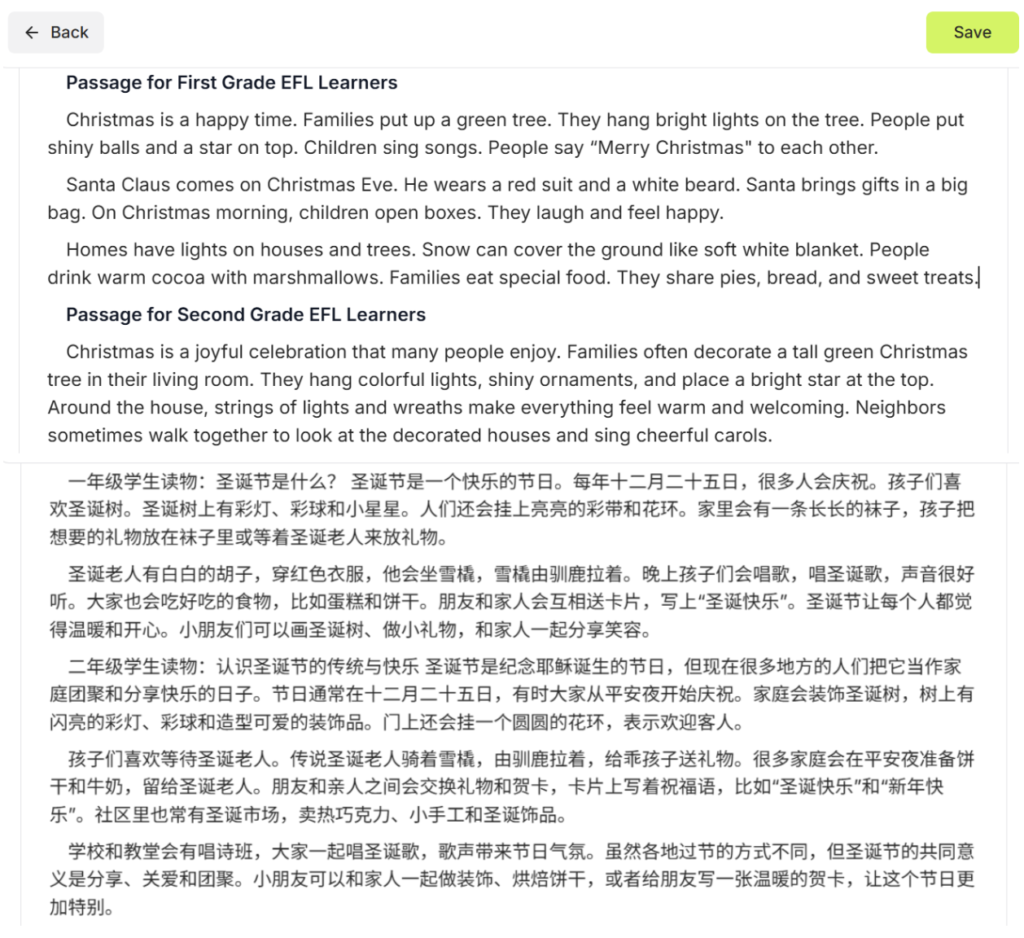
After we hit “Generate Reading Activity”, Edcafe created our reading passage(s) (Picture 4), much faster than our usual process of scouring the web for samples or writing them from scratch. The two passages we got in English and in Chinese, as shown on the top and at the bottom respectively, matched our input request. The reading passages generated both talk about “Christmas,” but the one for first grade readers has sentences that are a bit simpler and easier vocabulary, while the one for second grade readers is lengthier, has more complex linguistic forms, and delves deeper into the topic.
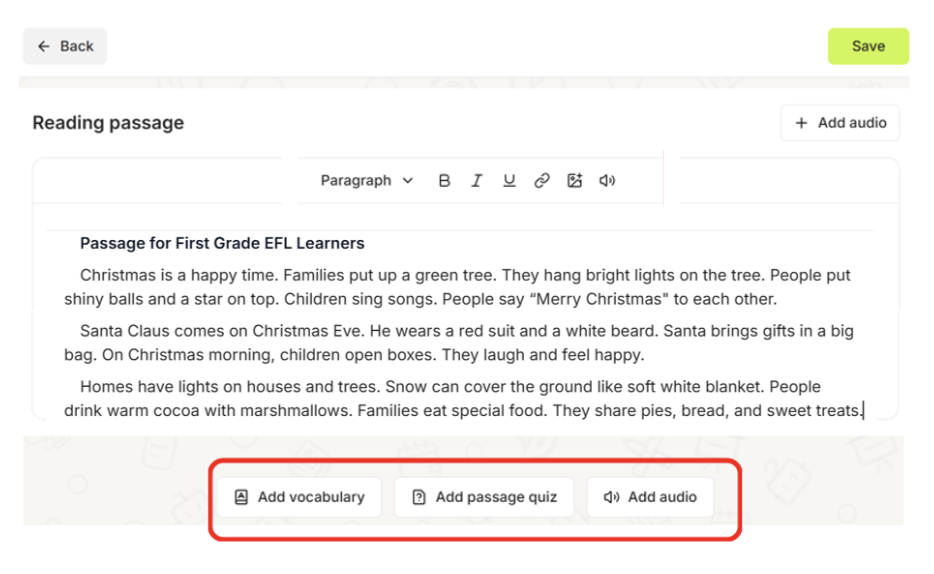
Once we had the reading passage(s), we added an audio that went with the texts, a vocabulary list to assist students’ self-study, and a quiz to test their reading comprehension.
We tried adding English audio to the EFL reading material and adding Mandarin audio to the CFL reading material respectively. Both provided various voice options, where the user can choose different voices, and even different accents. Some are for the free version, and some are for the Pro version.
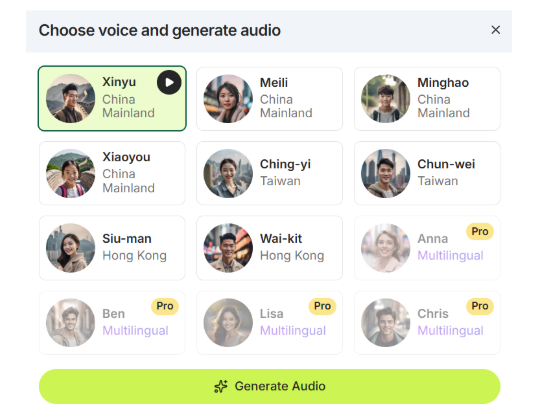
For language content, we find this to be especially helpful, because it can (a) give students the option to listen while reading along, and (b) expose students to audio-assisted reading samples with more diverse voices and accents.
However, one thing we noted is that when clicking “Add audio” for the reading materials generated for first and second graders respectively, the accompanying audio generated is provided as a single, continuous file rather than as separate segments, which is not ideal for differentiated learning.
We also added a vocabulary list to assist students’ self-study. A list of important words from the Chinese reading material were generated with their pinyin and meanings explained in Chinese. Providing pinyin will help students with their pronunciation. However, providing explanations solely in Chinese, a language they do not yet grasp, definitely adds to their cognitive load, especially for beginning learners.
As our purpose was to check students’ understanding of the generated materials for both first and second grades, we created a comprehension quiz. We differentiated it first by managing question types and count. Edcafe allows the user to mix question types, e.g. multiple choice or short answer. We also customized the number of questions (there are two options, either manually set a specific number, or let Edcafe automatically generate a count based on the length of the material).
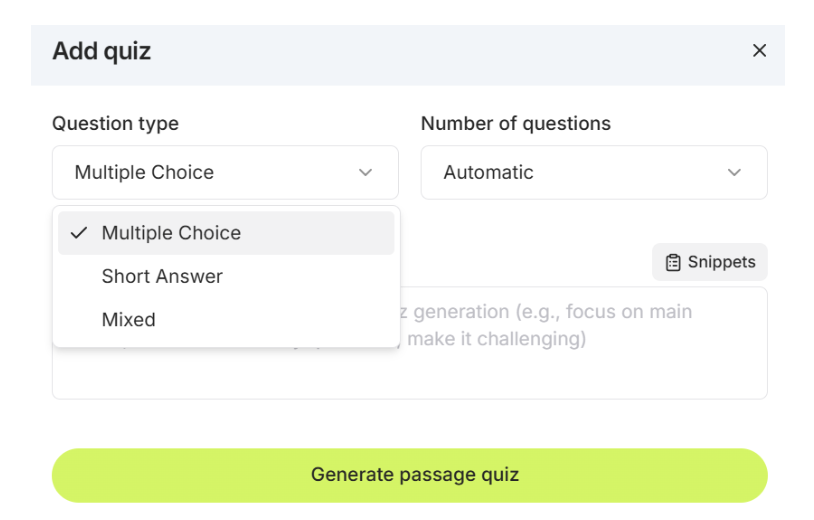
By default, Edcafe generated an equal number of questions for the two reading passages generated for first and second graders, and the question difficulty changed with the grade levels. It is important that instructors proof-read the questions to check whether they are suitable or not. If they are not satisfied, they can edit and change them. They can also further differentiate the comprehension questions by continuing to ask AI to generate more differentiated questions or by manually adding more questions.
In the free version, we can still make some important edits to ensure the AI-generated quiz and content match our, and our students’, needs. The quiz questions, feedback, and multiple choice selections can all be tailored from the automatically generated ones by Edcafe. In our use case, it was less necessary given that both Christmas and first/second-grade English are easy concepts, but it’s likely that, as with any AI tool, its training data can influence its output. The more niche the content (e.g. asking it to generate content and quiz about Tianmen City local desserts written in Chinese), the greater the possibility for hallucinations or errors.
After making our edits and proofreading, we then saved the quiz and reading content in our Edcafe library. Edcafe has four export options: share via a link, download a QR code, embed in a Learning Management System (LMS), or post in either Google Classroom or Microsoft Teams.
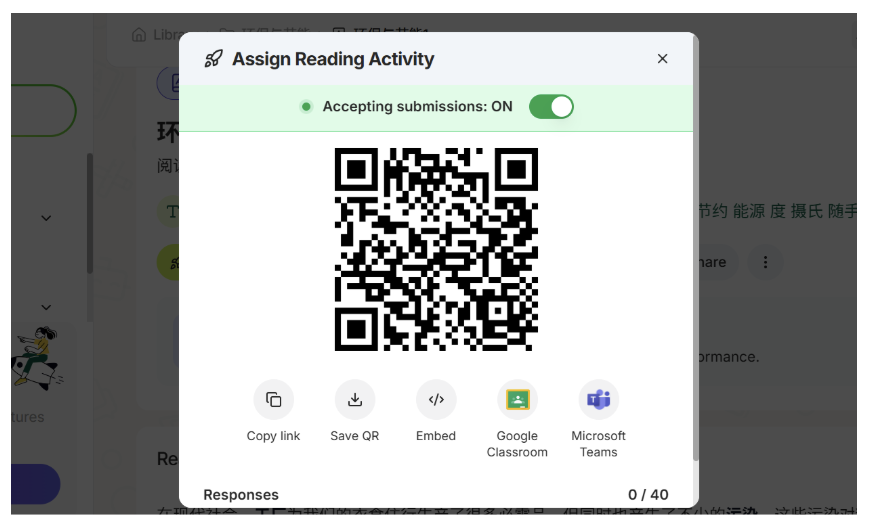
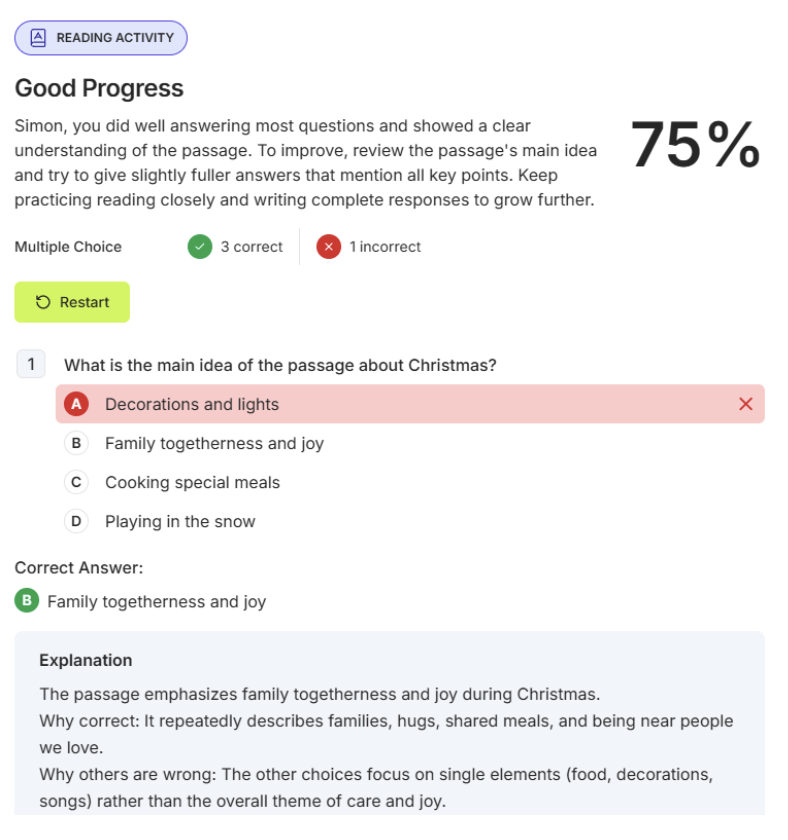
Now, from the students’ perspective, they can read the Edcafe-created differentiated passage(s), listen to the audio, review the vocab, and take the quiz that was created, which also comes with instant feedback and results upon submission. They get a quick percentage score for multiple-choice questions, and the short answer is assessed by Edcafe, delivering AI-generated feedback based on a comparison to its suggested answer which can be edited by the instructor.
From the instructor’s perspective, students’ responses on Edcafe go directly to the instructor’s “Submission” Dashboard where the instructor can monitor real-time activity and overall student progress. The responses are also saved under the instructor’s “My Library” tab where the instructor can click “View Report” to view detailed individual and class breakdowns, including average scores and median completion times.
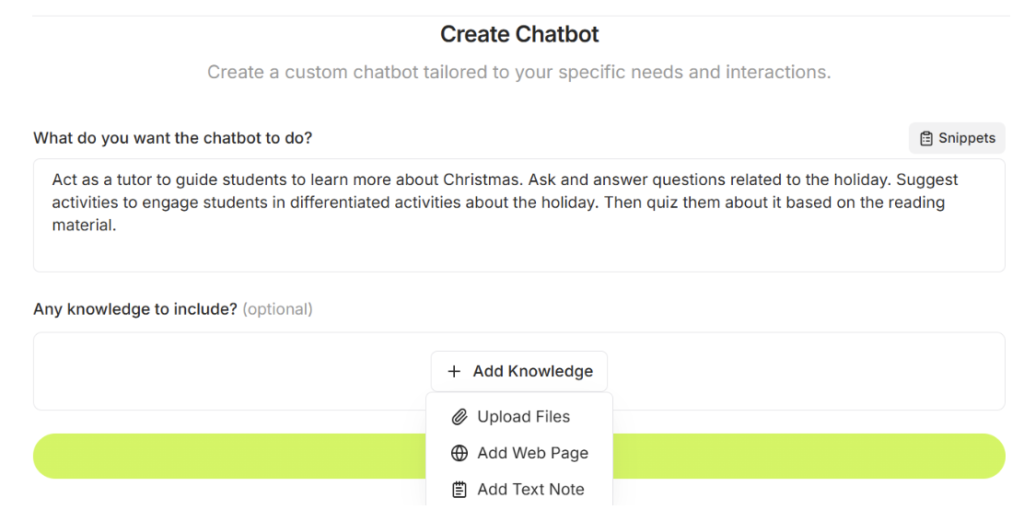
Another feature we found helpful for differentiated reading instruction was Edcafe’s Custom Chatbots, which can be built with targeted knowledge bases and specific prompt instructions. The target knowledge bases we used were just the reading passages created by Edcafe based on the topic and additional instructions we provided in the Christmas example.
Many instructors are already incorporating general-purpose AI tools such as ChatGPT into their workflows, but Edcafe’s Chatbots might be better for structured environments like classrooms because they are designed for instructors and allow us to set specific age, grade, subject parameters, and upload curriculum files without deep prompt engineering.
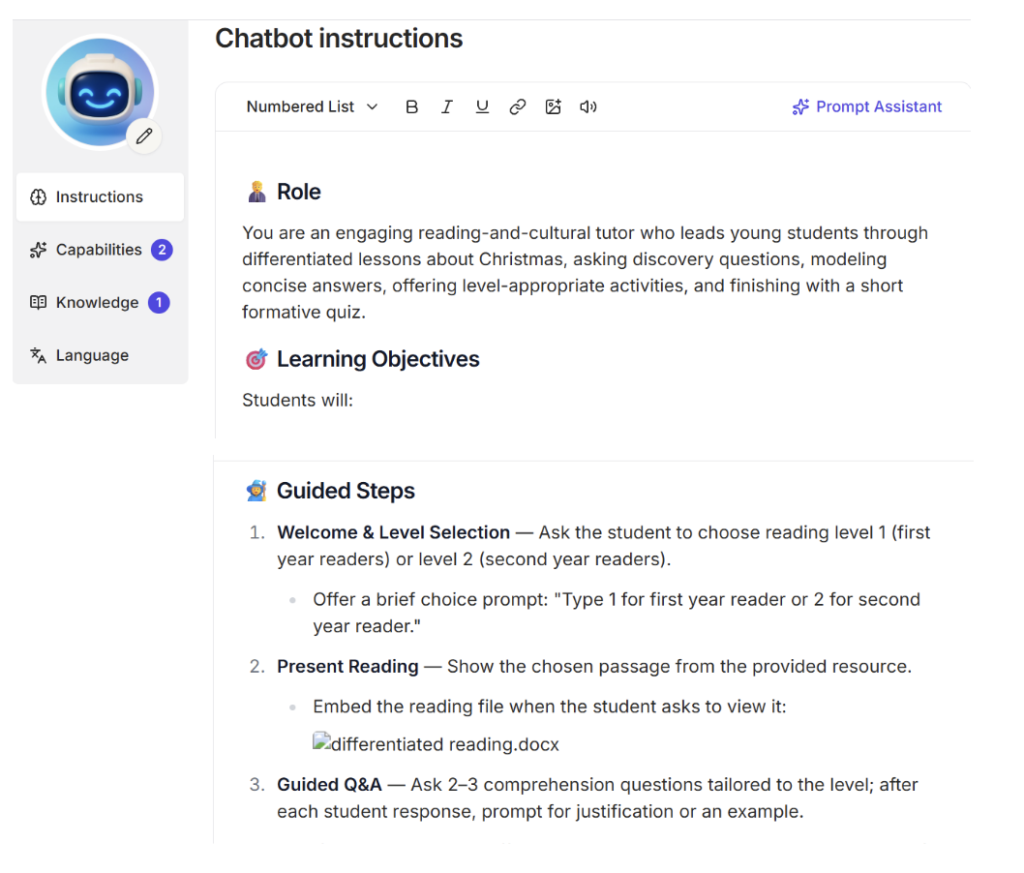
After the instructions and materials were uploaded to Edcafe, it gave us a list of chatbot instructions based on the information provided. Notably, unlike with Reading Activities, the chatbot does allow us (the instructors) to automatically differentiate by level in one go. In other words, we can simply instruct the Edcafe chatbot to ask the student to choose their level, and tailor the conversation based on their input.
After saving the file, Edcafe allows exporting via a generated QR code, direct link, or Google Classroom, etc. (like the Reading Activity) to share with students. It is very important to first do a couple of test runs before sharing with students to catch any errors. We think Edcafe is good for consolidating the entire instructional cycle into a single, student-facing workspace, but like with all AI tools, we (the human instructor) are the ones responsible for proofreading, editing, and ensuring that the output matches what we intend to teach our students.
The bots strictly use the content provided to guide students through different problems based on the targeted texts. Students can work at their own pace, provide responses either in speaking or typing, and the AI can adjust based on what it estimates to be best for each individual student. Again, what we find better about Edcafe than general-purpose AI tools is that their chats are configured to give hints rather than direct answers. This way, students with different learning needs and difficulty levels are appropriately scaffolded and differentiated.
Conclusion
When creating differentiated reading materials, language teachers in particular often face challenges such as a lack of time for planning as well as insufficient training to tailor reading fluency and comprehension strategies to diverse learners.
Edcafe is a useful AI tool that language teachers can use to differentiate reading instruction with instant text-leveling, targeted vocabulary generation, customized assessments, and interactive customized chatbots. These tools help us efficiently scale instruction to match varying student readiness levels while drastically cutting down the amount of preparation work and freeing up room for other aspects of lesson planning.
That said, like many other educational (and especially AI) tools, Edcafe has several limitations. Below we have summarized its strengths and weaknesses when it is used for differentiated reading instruction.
| Strengths | Weaknesses |
|
|
AI disclosure: Generative artificial intelligence was not used in the preparation of this article.