
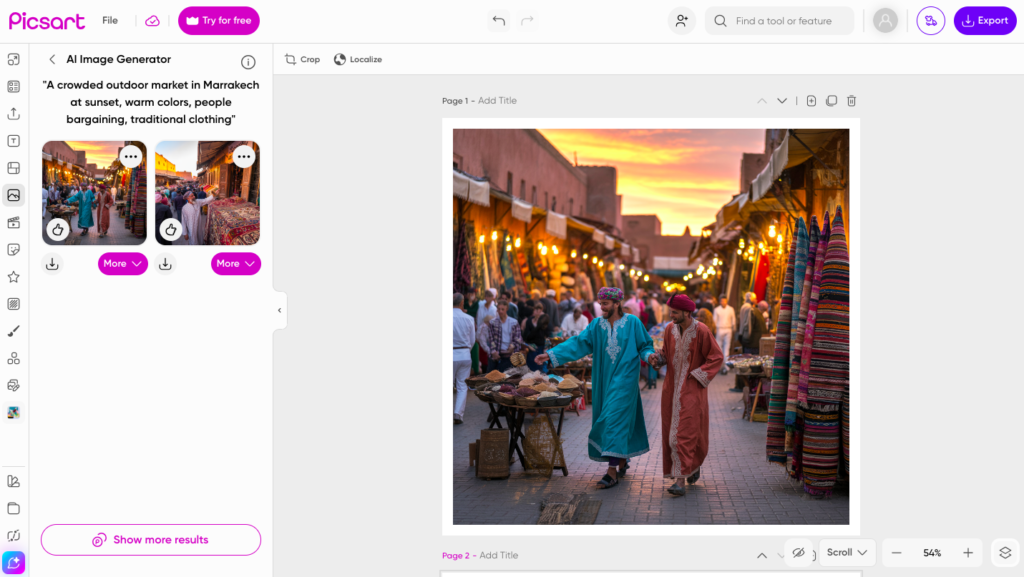
Turning Text into Teaching Tools: Using Picsart’s AI Image Generator in the Language Classroom
By Natalia Ivashchenko, English Language Instructor and Exam Preparation Specialist

DOI: https://www.doi.org/10.69732/XQZU5102
Introduction
Visuals have long supported language teaching. They provide context, reduce ambiguity, and invite interpretation. Yet finding the right image for a particular lesson objective can be unexpectedly time-consuming. Stock photographs are often generic, culturally imprecise, or disconnected from the communicative focus of the lesson.
In response to this challenge, I began experimenting with Picsart’s AI Image Generator. Instead of searching for an existing image that was close enough to my goal, I could describe the scene I needed and generate it. Over time, this shifted my approach to lesson planning. Rather than adapting activities to available visuals, I began creating visuals that aligned directly with my pedagogical intent.
What follows is a reflection on how this tool functions in practice, along with concrete ways it can support language teaching when used thoughtfully.
| Name of the tool | Picsart AI Image Generator |
| URL | https://picsart.com |
| Primary purpose | AI image generation from written prompts; photo and video editing. |
| Cost | Free: 5 credits/week. Pro: $10.50/month, 500 credits/month. Ultra: $31.66/month, 2500 credits/month. |
| Ease of use | Easy. Text-to-image generation and basic editing are straightforward. Credit costs vary by model. |
What Is Picsart’s AI Image Generator?
Picsart is a digital design platform available through a web interface and mobile app. In addition to photo editing and design tools, it includes an AI Image Generator that creates visuals from written prompts. Users type a description, review several generated options, and download the image that best fits their needs.
For example, entering “a crowded night market in Taipei during a rainstorm” produces multiple interpretations of that setting. The output is not limited to existing photographs. Instead, the system generates new images based on the description provided. It should be noted that I tested the tool in both Russian and English, and English produced more detailed and consistent results.
In practice, the quality of the image depends on the clarity of the prompt. A brief request such as “restaurant” produces a general scene. A more detailed description such as “a small family-run café in Buenos Aires in the evening with warm lighting and customers speaking Spanish” results in a richer and more pedagogically useful image.
This direct relationship between language input and visual output has clear implications for language learning itself. When students describe a scene they see, they reach for more specific vocabulary than they would with a generic image.
Why It Matters for Language Teaching
Precision in Context
Language is inseparable from context. When teaching vocabulary related to food, professions, travel, or emotion, the setting shapes meaning. A generic restaurant image cannot easily support a discussion about cultural nuance. By generating specific scenes, teachers can anchor vocabulary in a defined environment.
Students often notice clothing, architecture, gestures, and interaction patterns. These details prompt more authentic discussion and deeper descriptive work.
Supporting Comprehension
For lower-proficiency learners, visuals reduce cognitive load and provide scaffolding. When introducing new vocabulary, I generate simple, focused images that highlight key actions or objects. For abstract concepts such as isolation or ambition, symbolic images can spark conversation that might otherwise be difficult to initiate.
In one lesson, I generated an image of a person standing alone under a gray sky in an open landscape. It would have been difficult to find a photograph that matched this exact scene, or even to describe it precisely in a search. With the generator, I could create it directly from my description. Students immediately began suggesting vocabulary connected to loneliness and reflection. The image functioned as a starting point for language production rather than a passive illustration.
Encouraging Student Agency
Students can also generate their own images. During a narrative writing unit, I asked students to design prompts describing a setting. After generating their scenes, they wrote descriptive paragraphs and exchanged images with classmates to create alternative storylines.
An interesting pattern emerged. Students quickly realized that vague prompts led to vague results. They revised their descriptions to include sensory detail and clearer actions. In this way, the activity reinforced descriptive writing skills alongside creativity. Students start with a basic idea, see what comes out, and then realize that they need to add more. They throw in sensory details, change the mood, adjust the setting. That back and forth makes them picture the scene more clearly and put it into words, a type of negotiation of meaning. The generator gives them something to react to, but they have to decide what is missing and how to push it further. That is where creative thinking happens.
Classroom Applications
The tool works best when it supports communication rather than replacing it.
Vocabulary Development
Images can introduce or reinforce target words. A simple three-step structure works well:
- Students describe what they see in the image using any language they know.
- The teacher introduces or reviews target vocabulary and students connect those terms to specific visual elements.
- Students produce sentences using the new vocabulary to describe the scene.
Speaking Practice
Teachers can guide students through interpretive questions to encourage narrative sequencing and varied verb tenses:
- What is happening in this scene?
- What happened before this moment?
- What might happen next?
For cultural comparison, parallel scenes generated in different locations allow students to analyze similarities and differences. These tasks can also open discussions about representation and whether the AI’s output feels accurate or simplified.
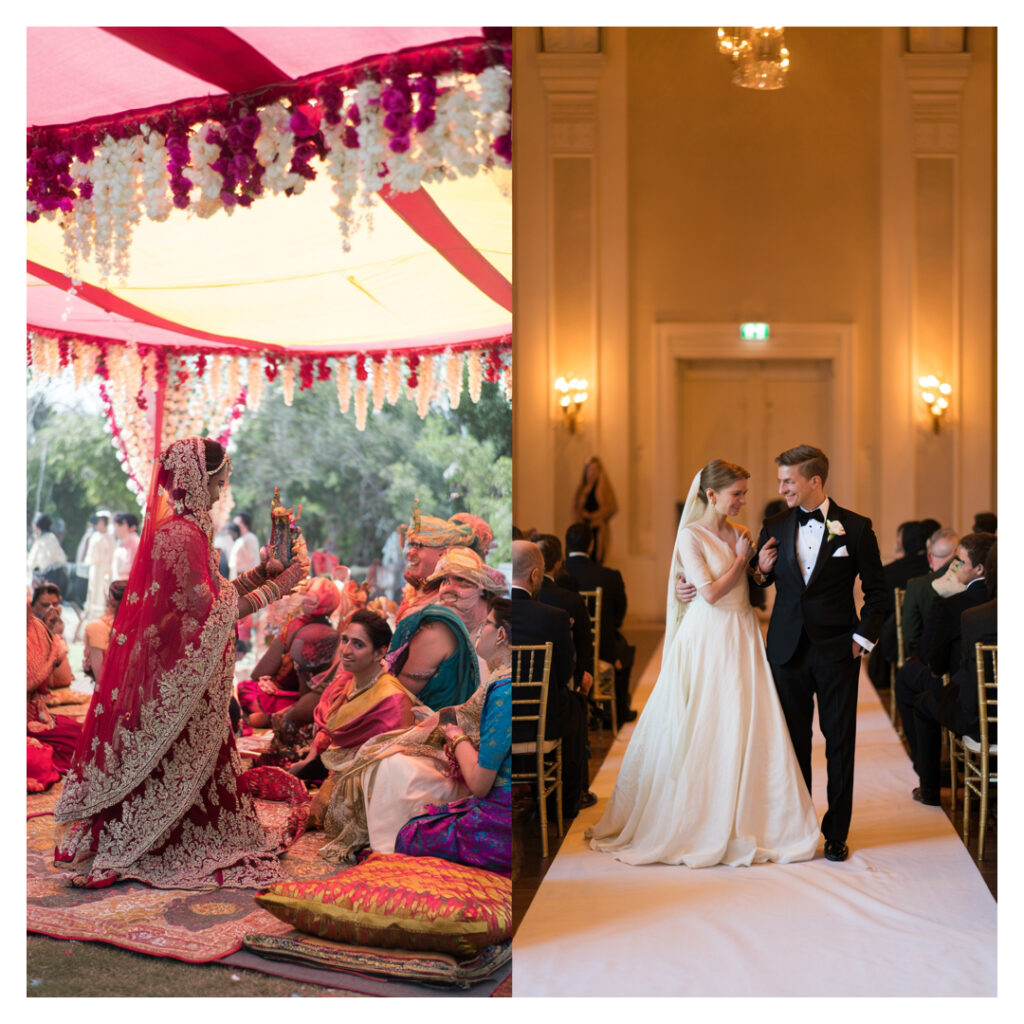
In the picture above, the two scenes show the same prompt in different locations. I ask students what they notice, we compare details and discuss what feels accurate or stereotyped. After that, students write a short paragraph describing the scene or explaining which image feels more realistic and why.
How I Use Picsart in Lesson Preparation
Using the tool is straightforward. I open Picsart, select the AI Image Generator, enter a detailed prompt, review the results, and download the chosen image for use in slides or handouts.
Through experimentation, I have found that effective prompts typically include location, time of day, action, mood, and cultural indicators. Writing “market” produces a general image. Writing “a crowded outdoor market in Marrakech at sunset with warm colors and people bargaining” produces a scene that invites richer discussion.
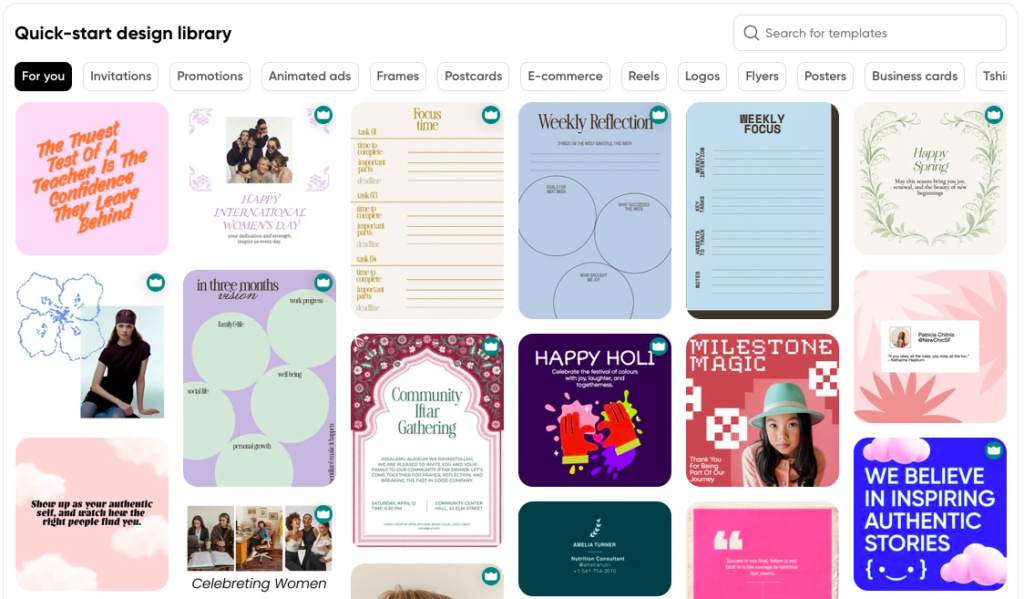
Additionally, there are multiple templates for quick-start designs. Those are especially useful when I need to generate a visually appealing lesson plan or inspire my students with study affirmations.
Pricing and Access Considerations
Picsart offers both free and paid subscription options. The free version allows limited use of AI generation features, operating through a credit-based system. For occasional experimentation, this may be sufficient. The free version gives 5 credits per week, but one credit does not always equal one image. It depends on the model. Budget models cost 1-2 credits, standard ones cost 3-5, and premium ones cost 8-12. So with the free plan, you can generate a few basic images per week, but a higher quality image could use up all your credits at once. For standard generation, 5 credits give you 5 images.
Paid plans provide increased AI generation credits and additional functionality. Based on current pricing displayed within the platform (as of April 2026), yearly subscriptions are approximately:
- Plus plan: $6.50 per month
- Pro plan: $10.50 per month
- Ultra plan: $24.50 per month
Higher-tier plans include expanded AI generation limits, additional storage, access to more AI models, bulk editing capabilities, brand kits, premium templates, and export options such as PNG and PDF formats.
For individual teachers who plan to generate images occasionally, lower-tier plans may be adequate. Instructors intending to integrate AI image creation more consistently or involve students directly in the process may find higher credit allocations necessary. Pricing and features may change over time, so educators should review current terms and consider institutional licensing options where available.
Exploring the Broader Picsart Toolkit
Although the AI Image Generator has been my primary focus in this article, the broader Picsart Create interface offers additional tools that can extend its usefulness in the classroom.
Once an image is generated, it can be edited directly within the platform. Teachers can adjust brightness or contrast to highlight details, crop images for clarity, remove backgrounds for flashcards, or add arrows and labels to direct student attention, and these features are available for any image you upload into the platform, not just ones generated by the AI.
The platform also includes templates for posters, presentations, and infographics. These templates can be adapted to create vocabulary walls, grammar summaries, project visuals, or digital classroom displays. Rather than exporting an image and editing it elsewhere, teachers can complete much of the design process within a single interface.
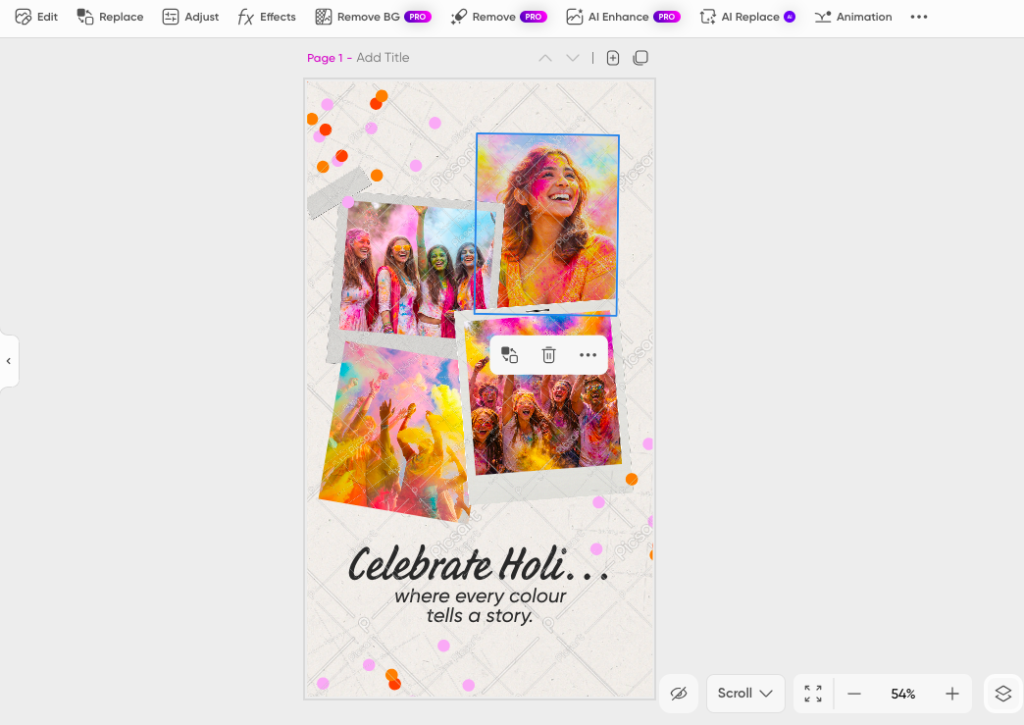
Text and typography tools allow instructors to add captions, explanations, or bilingual labels. This makes it possible to transform a generated image into a structured teaching material rather than using it as a standalone visual. While there are some similarities to the popular visual design app Canva, there are some differences. Canva is better for layout and design, but the key difference is how language functions in each tool. In Canva, you usually start with a template and add text afterwards. With Picsart, language comes first and directly shapes the visual outcome. The image is built from your description, not the other way around. That is the main distinction for language teaching.
Export options exist in common formats such as PNG and PDF, and the tool supports integration into slides, learning management systems, or printable handouts.
For educators interested in multimodal learning and digital literacy, these features expand the tool’s role beyond image generation alone.
Strengths and Limitations
The most evident strength of the tool is flexibility. It allows teachers to create tailored visuals that align closely with lesson goals. It also encourages attentiveness to descriptive language and can support differentiated instruction.
At the same time, limitations must be acknowledged. AI-generated images may include cultural inaccuracies or exaggerated elements. Teachers should review outputs carefully before classroom use. These inaccuracies, however, can also become opportunities for critical discussion about representation and bias.
For example, if an AI generates an image of a “traditional Russian village” that looks more like a postcard than a real place, a teacher could ask: “What details in this image feel accurate to you? What feels exaggerated or missing? Why do you think the AI generated it this way?” This prompts students to think critically about where the AI’s training data comes from and how stereotypes can be reinforced through visuals.
Final Reflections
Using Picsart’s AI Image Generator has encouraged me to think more intentionally about how visuals function in my classroom. Instead of adapting lessons to fit available images, I can design visuals that reflect my objectives. More importantly, students engage actively with images that feel purposeful and connected to their tasks.
At the same time, AI-generated visuals are not a replacement for authentic materials. Real-world photographs, student-created artwork, and lived experiences remain essential components of language education. The generator works best as a supplement rather than a substitute.
The tool also reinforces a central principle of language learning: clarity matters. When students generate their own images, the precision of their written prompts directly shapes the quality of the visual outcome. In that sense, generating images becomes another way of practicing descriptive language.
AI tools are becoming part of contemporary educational practice. Their value does not lie in novelty, but in thoughtful integration. When used critically and purposefully, image generation tools such as Picsart can support communication, creativity, and visual literacy in the language classroom.
AI disclosure: Minimal use of AI: Generative artificial intelligence was used in the preparation of this article only for brainstorming ideas or for spelling and grammar suggestions.
I appreciate how the blog delves into using Picsart’s AI for language education—it really opens up creative avenues for engaging students! As someone who has integrated technology into my teaching, I wonder how you’ve seen student responses evolve with these tools.
Great article! It’s interesting to see how AI tools like Picsart are opening new possibilities for creativity and classroom activities.
AI image generators can make language lessons much more engaging and give students a creative way to connect words with visual ideas.
Great article! It’s interesting to see how AI tools like Picsart are opening new possibilities for creativity and classroom activities. The combination of technology and visual learning can make lessons more engaging and inspire more people to create.