
Human Authenticity Meets AI: Empowering Language Teaching and Learning with LingoLesson
By Karen Villalba, Universidad Nacional, Colombia

DOI: https://www.doi.org/10.69732/VDLS8975
Introduction
LingoLesson is a modern learning management system designed specifically for language teachers and learners. Built around the reality that student speaking practice often disappears immediately after class ends, LingoLesson captures audio and video recordings, automatically transcribes them, and repurposes them with reusable lessons that teachers can deploy across multiple class groups. Unlike general-purpose tools like Padlet or Google Forms, LingoLesson integrates speaking, listening, reading, and writing into a single modular lesson editor where teachers maintain full control over both lesson design and AI features. The philosophy is straightforward: make spoken work visible, trackable, and accessible.
| Name of the tool | LingoLesson |
| URL | https://www.lingolesson.com/ |
| Primary purpose of the tool | An LMS for creating modular language lessons that capture, transcribe, and assess student speaking alongside other language skills |
| Cost | Free (5 student seats); paid plans TBA; optional AI add-ons at $5 per usage package (transcription, text-to-speech, generative AI, OCR) |
| Ease of use | Intuitive lesson editor with drag-and-drop interface; students can record audio or video directly in browser on any device; moderate learning curve for lesson design but minimal barriers to student participation |
Overview
Access and Navigate LingoLesson
LingoLesson is a web-based platform accessed through www.lingolesson.com. Teachers sign up for a free account and create a workspace. The homepage presents a clean navigation structure: buttons to create new classes, courses, and lessons, easy access to uploaded media, and a view of your students’ submissions.
The core interface revolves around the lesson editor, a modular workspace where you combine media, questions, and recording tasks in a linear flow. Think of it as a hybrid between Google Forms (structured question types) and Flip (video recording), but purpose-built for language learning.
Create and Customize a Lesson
Creating a lesson in LingoLesson involves four straightforward steps:
- Start a new lesson: Select “Create Lesson” and name it appropriately (e.g. “Daily Routines-B1 Spanish”).
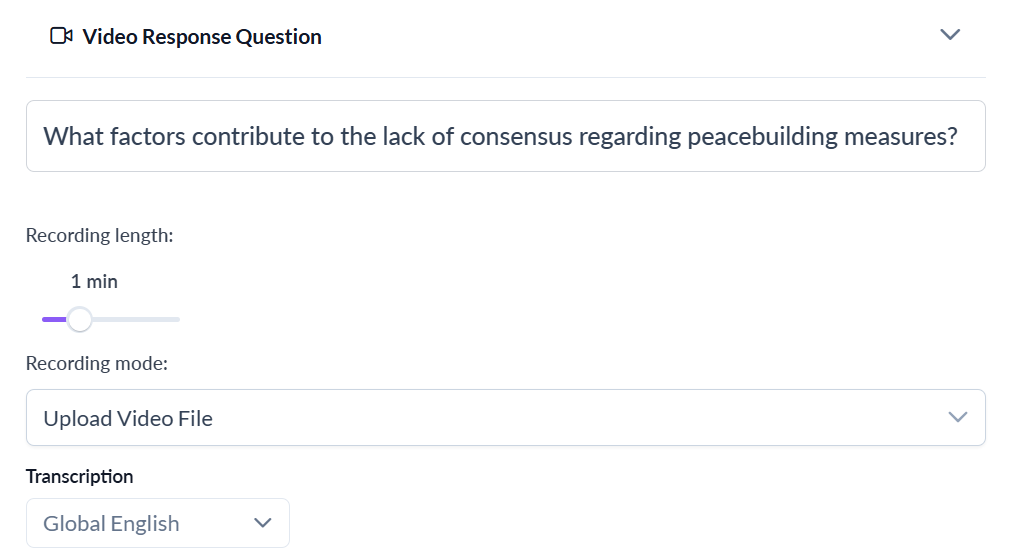
- Add content modules: The editor offers 7 embedded media types (audio, video, text, image, PDF, text-to-speech, iframes) and 12 question types (audio response, video response, multiple choice, gap fill, matching, short answer, long answer, categorize, ordering, select many, true/false, image upload).
- Drag and drop your sequence: Arrange a listening input (teacher audio or YouTube video), then add comprehension questions, then a speaking task, all in one continuous flow.
- Publish and assign: Once built, save the lesson inside a course and assign the course to a class; you can reuse the same course across multiple classes without rebuilding it.
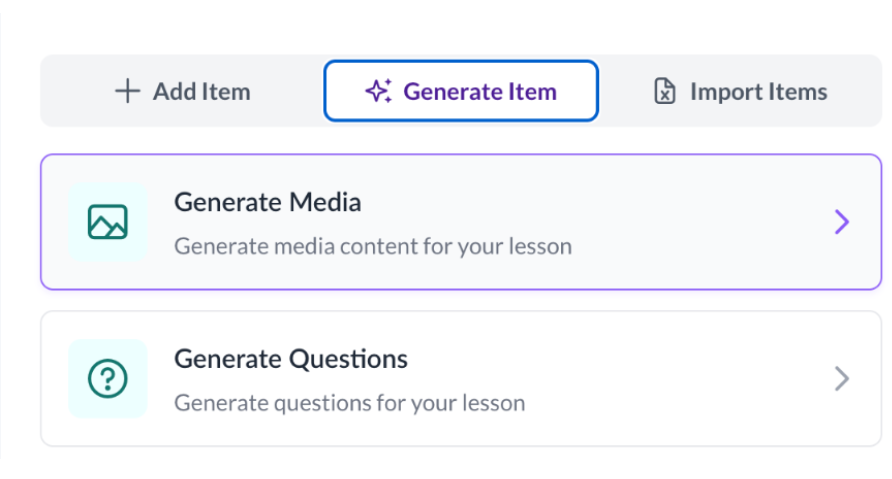
The lesson editor also supports bulk import from spreadsheets, allowing teachers to quickly convert vocabulary lists or question sets into activities. For those wishing to use AI assistance, there’s an optional GenAI feature where you can ask the system to generate questions, add images, or create text-to-speech audio. Importantly, all AI-generated content can be edited and refined by teachers before it is published.
If you want to add audio to reading or listening tasks, you can upload your own recordings, paste a YouTube link, or generate audio via text-to-speech (TTS) (requires a paid add-on). As of October 2026, LingoLesson offers text-to-speech and recorded-media transcription in 38 languages, plus additional English variants, while live transcription covers English, French, German, Italian, Portuguese, and Spanish (see the AI add-ons page for feature-specific language lists).
Collect Student Submissions and Provide Feedback
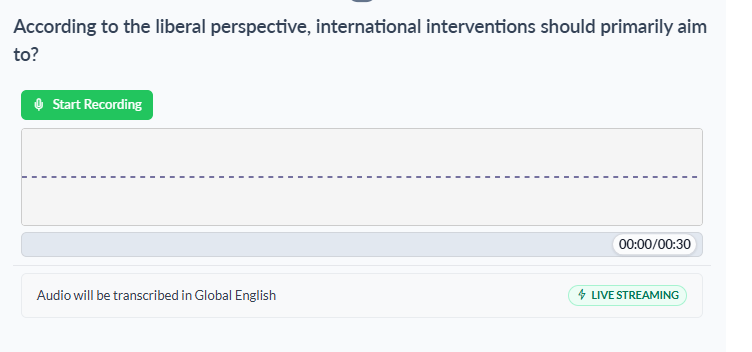
Once you assign a course to a class, students access it via a shared link or by logging into their dashboards. They record audio or video responses directly in the browser; no app downloads are required. Teachers then review submissions in a dedicated submissions dashboard where each student’s audio, video, or written response is linked to the original prompt.
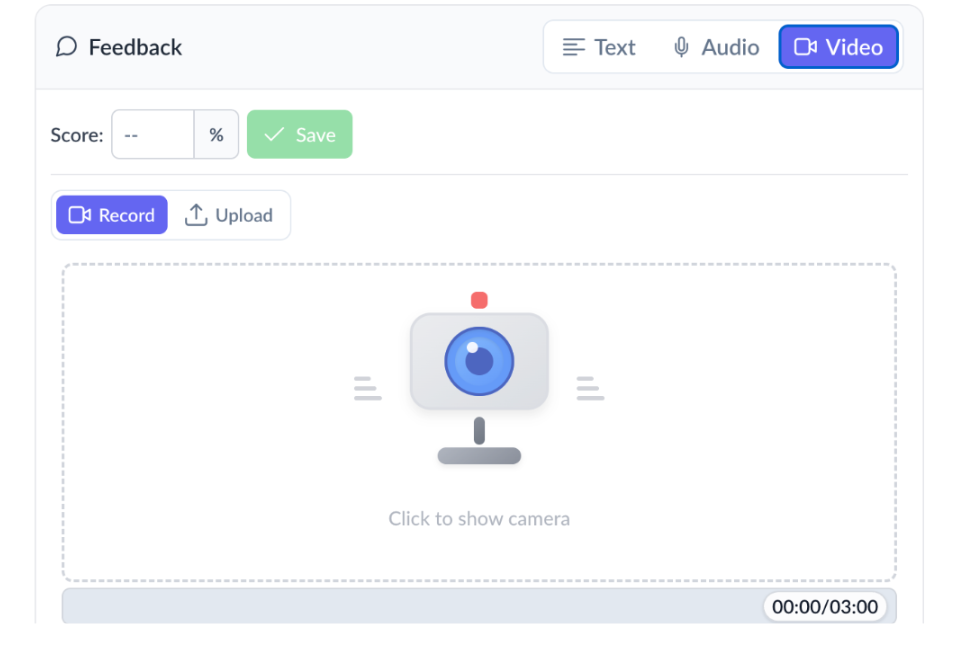
LingoLesson’s standout feature is the feedback editor. Teachers can write personalized comments, but they can also use optional AI assistance to generate immediate feedback based on a rubric. Because the AI works from the transcript rather than the audio itself, it’s best suited to rubric criteria about content, grammar, and structure; for example, a criterion like “Did the student use the past tense correctly?” For criteria that depend on how something sounds, like pronunciation, stress, or intonation, GenAI can’t assess these from the transcript alone, since it can’t hear the audio. Listen and Repeat provides an automated score and word-level feedback based on how closely the recognized words match the target text. Teachers can also listen to the recording alongside the transcript to assess pronunciation themselves.
ASR (automatic speech recognition) is optional and requires a paid add-on ($5 for 20 hours of transcription). Once enabled, student audio is automatically transcribed, making it easier to identify grammar mistakes or L1 interference without re-listening multiple times, and it’s what powers the AI feedback described above.
Build Community with Media Galleries
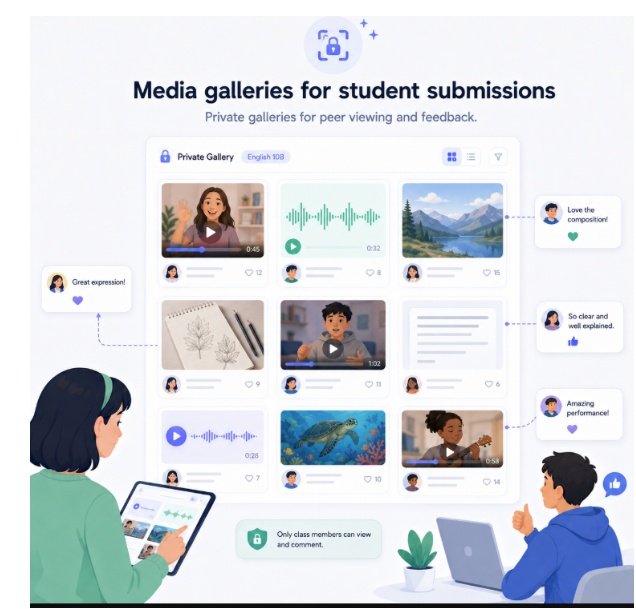
One of LingoLesson’s unique affordances is the media gallery, a private, permission-gated space where student recordings can be viewed by enrolled class members. Teachers decide whether recordings remain instructor-facing or are shared through a class gallery, and they choose whether classmates can react or comment. When comments and reactions are enabled, students can interact with each other’s work, creating asynchronous peer interaction without the risks inherent to public social media. Unlike general-purpose tools such as Padlet, or video-discussion tools such as Flip, which can also be configured with privacy controls, LingoLesson’s galleries are built into language lessons, so shared recordings come directly from speaking tasks and can be accompanied by transcripts. Teachers and institutions remain responsible for obtaining any required consent before students submit recordings.
How LingoLesson Compares to Alternatives
| Tool | Primary classroom affordance | Where LingoLesson overlaps | What LingoLesson adds for language learning |
| Padlet | Collaborative boards for multimodal peer sharing (text, images, links, media) | Gallery sharing, reactions, and comments among classmates | Language-task sequencing in modular lessons, built-in audio and video recording, optional transcription, and teacher feedback tools |
| Flip (no longer available) | Short asynchronous video discussions and reflections | Recorded student responses with peer viewing and interaction | Recording prompts embedded in lessons that cover all four skills, optional transcription, teacher-led feedback, and lessons reusable across classes |
| Seesaw | Student portfolios and family communication, mainly in primary grades | Collecting student work, including recordings, and sharing it with a class audience | Lesson design built around language skills, bulk import of lesson items from a spreadsheet template, and optional speech recognition and text-to-speech |
| Edpuzzle | Interactive video lessons with embedded questions | Teacher-created prompts with student responses, including audio answers to open-ended questions | Student speech as the central task rather than a response inside a video, audio and video recording prompts, galleries for peer viewing, and optional transcription |
Practical Uses for the Language Classroom
Ideas for Learners
Students can leverage LingoLesson to structure their own speaking practice between classes:
- Retry and compare: Record multiple attempts at the same prompt and play them back side by side to hear concrete improvement.
- Peer learning: Access the media gallery to listen to classmates’ responses and notice how more advanced peers handle similar tasks.
- Portfolio building: Over a semester, build a personal collection of speaking samples to track fluency gains and confidence.
Ideas for Language Educators
Here are concrete ways to integrate LingoLesson into your teaching:
- Monthly Speaking Development (B1–B2 Level)
Create one reusable course titled “My Daily Routine.” The lesson includes a 2-minute teacher-model audio, “Listen to how I describe my morning,” followed by the open-ended prompt: “Describe your typical weekday using at least three time expressions and one modal of obligation (tener que, deber).” Students record a 1-2 minute response.
The same reusable course can be assigned to different classes multiple times throughout the academic year (e.g., September, October, November, and April) without rebuilding it. Because students respond to the same prompt each time, they can compare their recordings across months. In April, students can listen to their September recording and identify observable changes in fluency (e.g., pauses and self-corrections), vocabulary range, grammatical control (e.g., accuracy with modals of obligation), and pronunciation. Since a repeated prompt can be rehearsed and samples only one task type, this works best as a formative growth check rather than a measure of proficiency. Teachers who want to make proficiency claims could pair it with a framework such as CEFR descriptors and additional unrehearsed speaking tasks.
The teacher can provide feedback using a simple rubric focusing on vocabulary range, grammar accuracy, and pronunciation clarity. Automatic transcriptions support the feedback process by allowing the teacher to identify specific language errors without repeatedly replaying the recordings. Over time, the media gallery becomes a living portfolio of students’ oral language development, making their progress visible across repeated performances.
- Flipped Listening + Speaking Synthesis (Upper-Intermediate / B2–C1)
Design a lesson around an authentic podcast episode or TED Talk excerpt (3-5 minutes). Structure:
- Listening input: Embed a YouTube video on “Entrepreneurship in the Digital Age”
- Comprehension check: 2–3 multiple-choice or short-answer questions on main ideas
- Synthesis task: “Would you want to work for this type of company? Explain your reasoning in 2-3 minutes.”
Students watch, answer comprehension questions, and record their reasoned opinion. You review their video + transcript to assess both listening comprehension (via their answers) and speaking coherence (via their recorded response). Use the media gallery to showcase 2–3 exemplary responses so peers see what strong synthesis sounds like. This keeps related content, input, comprehension, and output in one module, reducing tool switching and cognitive load.
- Error Hunt: Collaborative Proofreading
Write a short paragraph in your target language with intentional errors (mixed verb tenses, agreement mistakes, pronoun confusion). Create a lesson with the prompt: “Record yourself reading this text aloud and correct the three grammatical errors you hear. Explain why each error is wrong.”
Students first read the text aloud, which allows you to attend to pronunciation, phrasing, and oral reading fluency. They then explain their corrections aloud, which provides evidence of metalinguistic awareness as well as spontaneous language use. Transcripts can help you see which errors students caught and which they missed, though it is worth checking them against the audio, since automatic transcription may smooth over errors or mishear learners. With a class gallery for this question, students can hear peers’ corrections and reasoning, and you can use sample responses to discuss both the errors and the explanations.
- Asynchronous Presentation + Peer Feedback Loop
For a cultural project or book talk, have students record a 3–4 minute presentation. Instead of live presentations in class, post all recordings in the media gallery. Classmates watch 2–3 peer presentations and leave specific comments: “I liked how you connected [topic] to [real-world example]. Can you clarify what you meant by [term]?” You provide formal feedback on content and language. This distributes live-class speaking time, lets introverted students prepare thoroughly, and builds community through structured peer commentary.
Early access and Pricing
The platform is currently in private beta, and access is free during this period. It is expected to be publicly available in late October 2026. Teachers can request early access at lingolesson.com by clicking Request Early Access. The developers are still determining pricing for when the platform comes out of beta. However, current estimates suggest a subscription of approximately $15–$30 per teacher per month, depending on feature sets and numbers of students.
Conclusion
LingoLesson addresses a persistent challenge in language teaching: making ephemeral speaking practice visible and accessible. By combining reusable course design, automatic transcription, and teacher-controlled feedback, it shifts student oral work from a fleeting classroom moment into trackable data that informs both teaching and learning. The platform respects teacher expertise (AI integrations are optional, not automatic), while reducing the administrative burden of audio/video management.
I encourage you to request early access, build one authentic lesson for your students, and experience how transcription and reusable course design streamline your speaking assessment workflow. If you value systematic oral proficiency tracking and appreciate tools that keep pedagogy in your hands, LingoLesson is worth your time.