
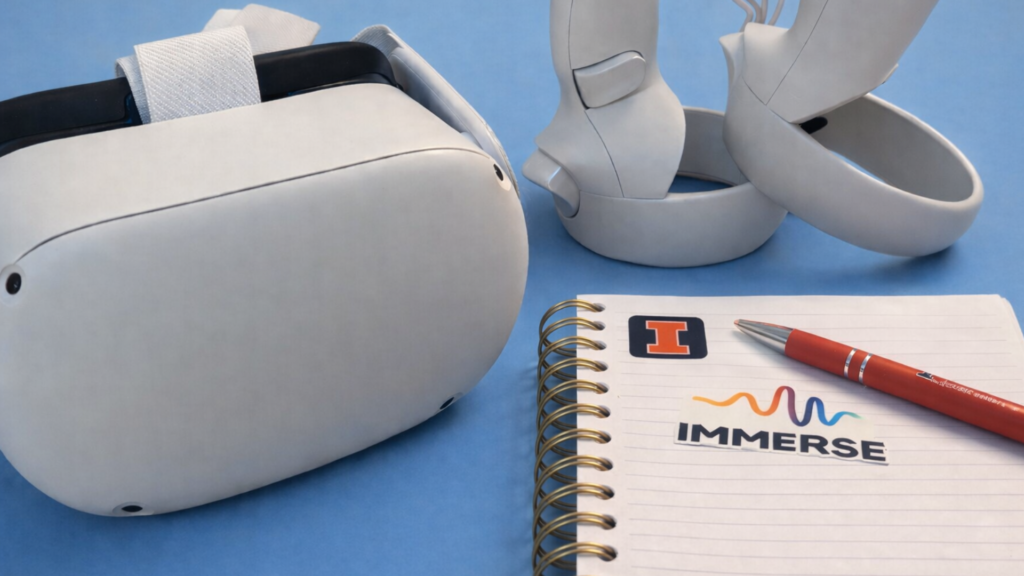
Behind the Scenes of Using Virtual Reality in Language Classrooms: My Journey as a Research Assistant
By Elif Varlik, PhD Student in Linguistics, University of Illinois Urbana-Champaign

DOI: https://www.doi.org/10.69732/OFTE2053
One moment, you’re standing in your hometown gazing over a quiet lake; the next, you’re in a distant galaxy battling aliens. Later, you find yourself in a virtual chat room collaborating on math homework with friends from around the world. Virtual reality (VR) offers endless possibilities, blurring the boundaries between imagination and experience. Beyond entertainment, VR provides a dynamic and interactive environment for communication, making it particularly well-suited for language learning. You can sip a virtual cappuccino in an Italian café, step into a chef’s kitchen, or stroll through the bustling streets of Shibuya – all while practicing a new language in context. Such experiences highlight how VR can move beyond entertainment to serve as a powerful pedagogical tool, offering learners contextualized, low-risk environments where real communication can unfold.
Despite advancements in language education, developing oral proficiency remains a persistent challenge for many learners. To address this, researchers and educators have increasingly turned to innovative technologies like VR, which offer immersive, interactive environments that closely simulate real-world communication and foster a powerful sense of presence. For example, Dhimolea, Kaplan-Rakowski, and Lin (2022) reported that sustained exposure to VR environments (ranging from two weeks to a semester) consistently yields positive outcomes, including improved communicative abilities and fluency during oral tasks. Similarly, Chun, Karimi, and Sañosa (2022) emphasized that high-immersion VR (HiVR), which is delivered through head-mounted devices (HMDs), in other words, headsets, provides authentic, contextualized spaces for language and cultural practice, fosters engagement and motivation through a strong sense of presence, and offers a safe environment that reduces learners’ anxiety. On the contrary, low-immersion VR (LiVR), which usually comes with computer and smartphone applications, provides more activities and virtual interaction spaces, but it does not provide the “sensation of physical presence” as much as HiVR (Kaplan-Rakowski & Gruber, 2019, p. 553).
Furthermore, Yu and Duan (2024) found that VR significantly lowers speaking anxiety, enabling learners to communicate more confidently while also enhancing motivation, self-efficacy, and overall satisfaction. Beyond speaking skills, VR also supports vocabulary acquisition; Kaplan-Rakowski and Thrasher (2025) argued that HiVR’s embodied, interactive learning experiences deepen cognitive processing and strengthen neural connections between words and their referents, thereby improving long-term retention. Collectively, these findings suggest that VR’s immersive and interactive affordances not only facilitate linguistic performance but also create psychologically supportive conditions for effective language learning.
Building on this research, the current article offers a behind-the-scenes look at what it takes to implement VR in a university language program. In this article, you will read about the motivation behind the University of Illinois Urbana-Champaign (UIUC) Spanish department’s adoption of VR, the practical steps involved in integrating it into a beginner-level Spanish course, and the challenges and affordances that emerged throughout the semester. More detailed results of an empirical study about the experience will be published at a later date; this piece will mostly focus on the logistics of the experience.
By drawing on my experience as a research assistant, I aim to illustrate not only the pedagogical outcomes of integrating VR into language instruction but also the logistical and technical realities that underpin this work. My responsibilities included setting up and maintaining the VR equipment, troubleshooting technical issues, and holding weekly office hours to support students using the VR platform. I also reviewed weekly assignment submissions to ensure that data collection proceeded smoothly and that all required materials were gathered before the analysis stage.
The Path to VR Integration: Motivation, Platform, and Design
According to the literature, if VR can meaningfully expand opportunities for authentic communication while reducing the affective barriers that hinder beginners, then it presents a compelling solution for programs aiming to provide sufficient oral practice. This connection between technological affordances and instructional needs directly shaped UIUC’s decision to implement VR into its Spanish language curriculum.
Recognizing that many Spanish 1 students advanced to Spanish 2 without the level of speaking proficiency expected for the next course, the Spanish department at UIUC sought a way to increase meaningful oral practice. To address this need, the program integrated the IMMERSE language learning platform into its curriculum, using Meta Quest 2 headsets to provide beginner-level learners with additional, immersive speaking practice. IMMERSE offers instructor-led group lessons, AI-supported independent study, and a structured learning path that includes vocabulary building, pronunciation practice, comprehension tasks, and scaffolded communicative activities within interactive environments. By situating learners in realistic, task-based contexts where they can interact through avatars and receive feedback, the platform is designed to expand students’ communicative opportunities beyond the traditional classroom.
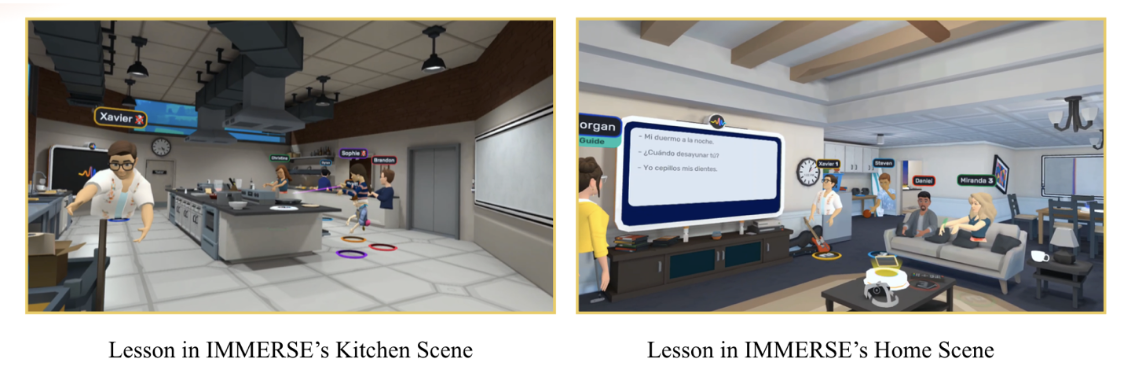
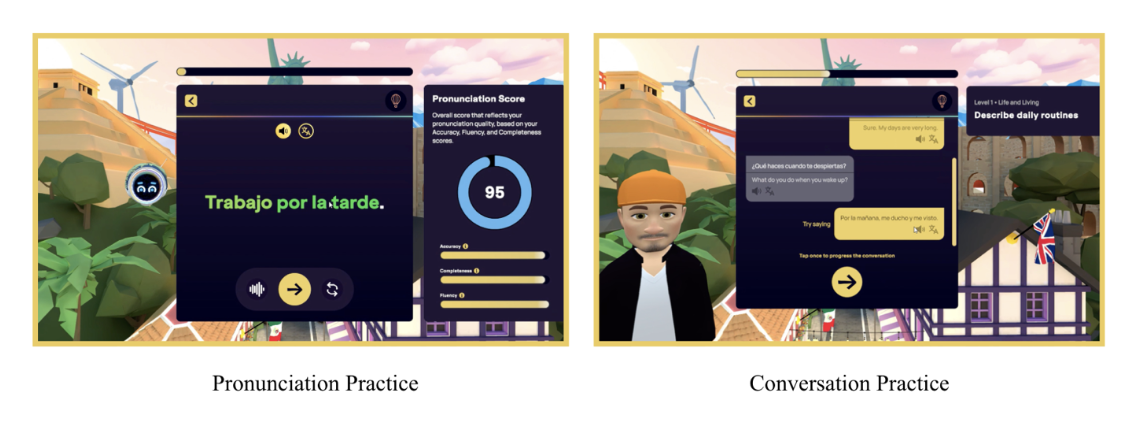
The department’s access to VR technology was made possible through a large Meta-funded grant awarded to Prof. Dr. Randall Sadler (Professor of Linguistics at UIUC) and Dr. Tricia Thrasher (Director of Research and Validation at IMMERSE), which provided Meta Quest 2 headsets to support VR-enhanced language instruction for a K-12 project that ran from August 2023 through May 2024. Once the grant concluded, the headsets had been provided for this additional project. As one of the research assistants for this project, I supported the semester-long implementation of these headsets at one of the project sites, UIUC, to enhance oral proficiency by providing comprehensible input, low-stakes communicative practice, and authentic VR environments that complemented regular in-class instruction.
Eight sections of Spanish 101 participated in this semester-long implementation. Four course sections had 2 hours of their online homework replaced each week with additional speaking practice through IMMERSE. This practice included asynchronous pronunciation exercises and AI-supported guided conversations such as listening activities, dialogue completion, repetition drills, speaking with AI avatars, word-level pronunciation practice, reviewing students’ recorded output, and retrying for improvement. But the most substantial speaking opportunities came from the live VR classes held twice a week on the IMMERSE platform. These live sessions are provided by language teachers hired by IMMERSE who have been professionally trained as language teachers and have prior teaching experience either at the secondary or tertiary level. They are not hired just because they are the native speaker of the language. This varied experience allowed learners to practice spontaneous communication in immersive, contextualized scenarios that extended far beyond what traditional classroom activities typically allow. For example, a class can be in a kitchen scene or in an IMMERSE classroom that allows students to grab and drop items, walk around and socialize while speaking with other attendees. It is also important to mention that the live classes included people outside of UIUC—regular attendees learning languages—which provided interaction with individuals other than their peers.
During the integration, we were also interested in affective variables known to influence L2 oral performance, such as foreign language anxiety (Horwitz et al., 1986), speaking motivation (Uztosun, 2017), and willingness to communicate (Dewaele & Dewaele, 2018). These constructs are especially relevant in VR-supported instruction, where immersive environments may reduce anxiety and increase engagement. By the end of the semester, students who participated in the IMMERSE-supported instruction demonstrated significantly higher oral proficiency gains compared to the class that continued with traditional asynchronous activities (e.g., McGraw-Hill assignments).
Although no overall differences emerged for motivation, students using HiVR showed a smaller increase in foreign language anxiety, particularly among learners who began the course with high initial anxiety. Additionally, students with lower initial willingness to communicate showed substantially greater gains after the study was completed in the HiVR condition, suggesting a supportive affective effect of VR-based instruction. These results suggest that integrating VR-based live speaking practice into beginner-level Spanish instruction can meaningfully enhance students’ oral development while positively shaping their affective experiences as language learners.
Preparing for the Project
There is a lot of preparation that goes into planning to implement VR into a language course, especially when it comes to preparing the headsets to be able to lend them to each student for the entire semester. Several weeks before the semester began, we assessed our inventory to ensure that the 40 headsets available were sufficient for the number of students enrolled. Each device then needed to be set up, which included fully charging the units, installing software updates, creating and managing user accounts, and preparing clear training materials for both instructors and students. These logistics were essential to integrating VR smoothly into the language curriculum.
Step 1: Preparation of Headsets – Cleaning and Factory Reset
Since we were working with refurbished headsets, our first steps were to clean the headsets with alcohol wipes and factory reset all of them so that we could start with “clean” ones.
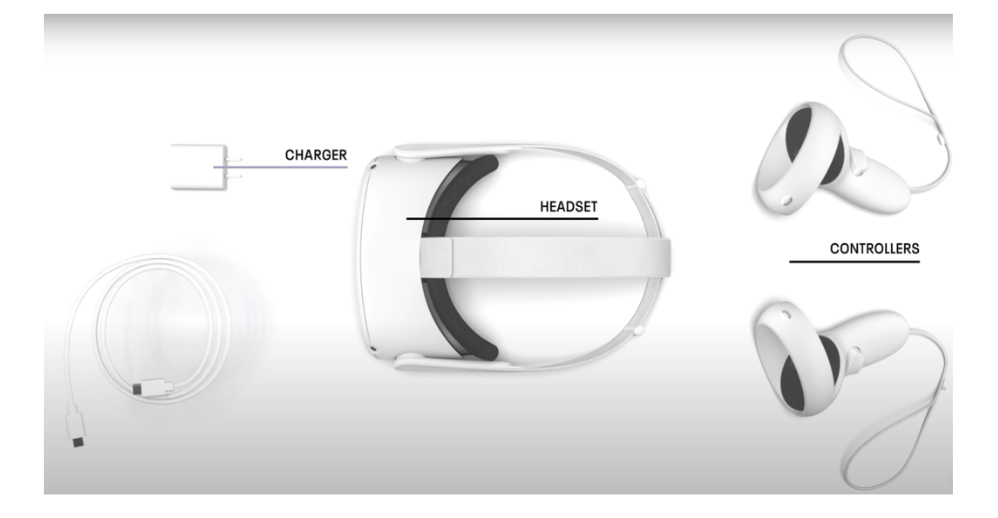
Step 2: Preparation of Headsets – Batteries and Documentation
After the factory reset, we charged all of them the day before distribution so that students could immediately start creating accounts and logging into the IMMERSE app. We also changed the batteries in the controllers so that students did not have to worry about them during the training. Everything was documented in online shared documents and sheets so that the team could easily follow the progress and see if any parts of any headset were missing.
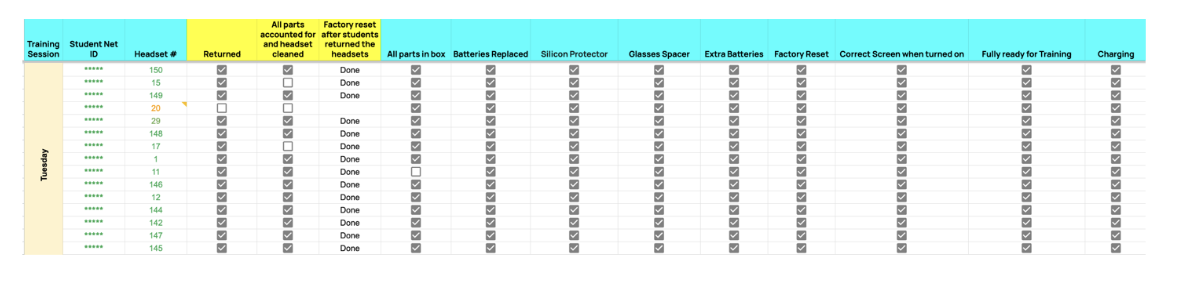
This step was crucial because, during a 50-minute training session, we had to manage around 20 headsets being used by 20 students simultaneously in each session. Anticipating potential technical issues was essential, so I did multiple demos of my sessions to practice setting up the headsets and troubleshooting common problems efficiently. However, it’s important to remember that technology can be unpredictable, so having a few extra headsets available kept students on track during the training.
You might wonder: where does one conduct these demos and charge headsets? Well, we were fortunate enough to have a VR lab with space to store the headsets and test them out when needed. Here is our small but mighty lab that includes all the headsets with necessary charging stations, and an area for trying them out.
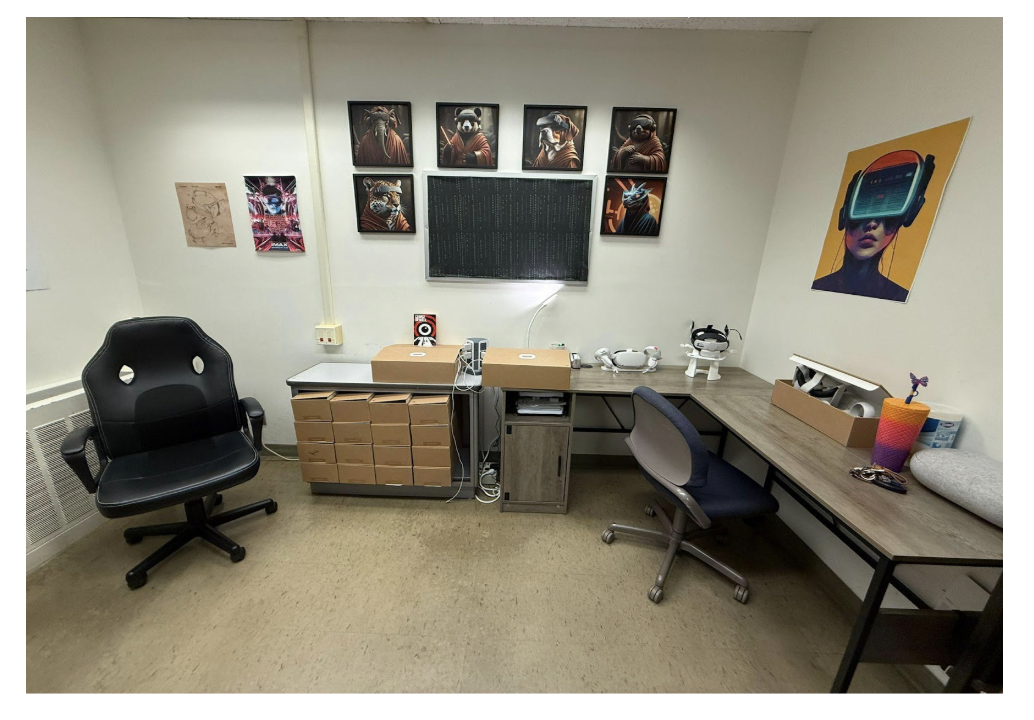
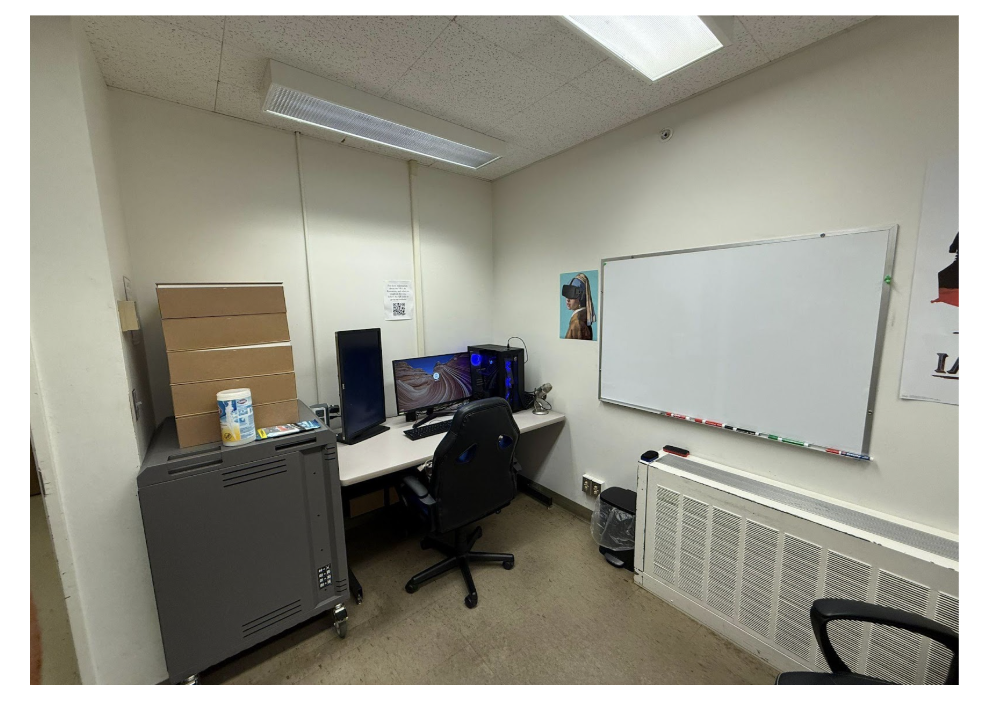
We also have a powerful computer that came in handy when storing and analyzing data collected throughout the project in an office provided by the Department of Linguistics that the team converted into a makeshift VR “lab” – primarily to store headsets.
Step 3: Training
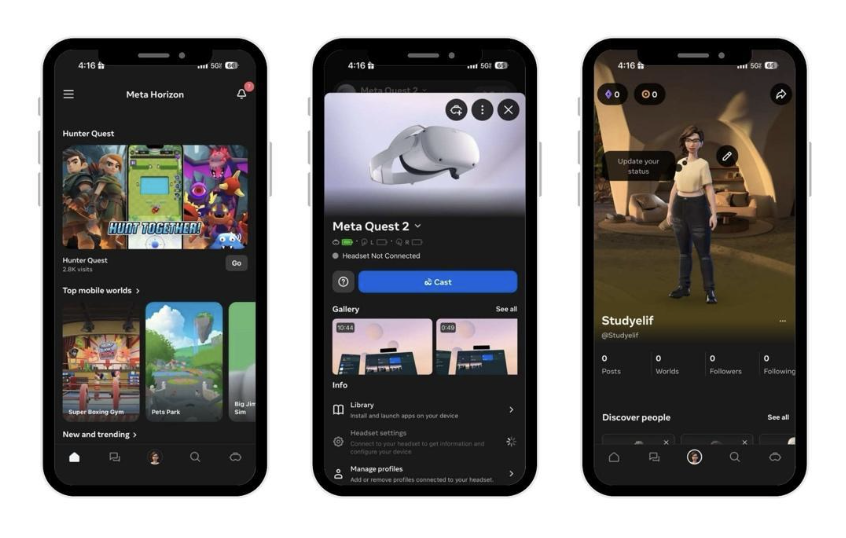
During training, students were guided through the full setup of their Meta Quest 2 headsets from unboxing and pairing through the Meta app to connecting to university Wi-Fi and completing the initial system setup. Because the Meta app is required for pairing, logging in, and accessing IMMERSE, it became a central focus of the onboarding process. Students were asked to download the app, create a Meta account, and review our setup guide in advance to streamline the workflow. During the session, they followed step-by-step worksheets to verify Bluetooth permissions, pair their devices, resolve login or account-verification issues, and confirm Wi-Fi connectivity. Once paired, they installed IMMERSE on their headsets, completed the in-app tutorial while recording their screens, and then learned how to stop the recording and upload their video assignment to Canvas. This structured approach ensured every student could successfully set up their headset and was fully prepared to use IMMERSE for class activities.
Before moving on, it’s important to acknowledge that preparing the headsets wasn’t always straightforward. Although we followed a detailed setup process, several issues still came up that required additional troubleshooting.
What issues did we have, and what did we do to ensure they didn’t happen again?
- Headsets might not be factory reset from previous use; thus, we had to ensure all of them were ready to be paired with new accounts.
- Pairing the headset through the Meta app was the most important step since we cannot use it otherwise. A big chunk of our training focused on ensuring successful logins to the accounts and a connection to the internet. Students followed step-by-step worksheets to eliminate any possible problems with pairing the Meta app and getting ready to practice in IMMERSE.
- Another issue was rather physical because not all students felt comfortable wearing the headset (for example, if they had been wearing makeup, did not want to mess their hair, or wear glasses), which can be an obstacle to access. We currently do not have any solutions for makeup and hair, but Quest headsets include a glass spacer that we mounted in every headset before we distributed them. Additionally, IMMERSE’s desktop version was suggested for students who were not comfortable using the headset.
We ensured that devices were tested before distribution; however, we also kept a few extra devices handy during training to use when devices malfunctioned. We were working with refurbished headsets for this project, so malfunctions were not uncommon.
Step 4: Launching the Semester
This was one of our busiest times, as it involved distributing and checking out headsets to each student. We carefully tracked whether all students had received their headsets and training, ensured that each device was functioning properly, confirmed that students had registered to their IMMERSE accounts, and provided additional instructions if necessary. During this time, we also asked students to complete the pre-surveys before beginning their practice. Additionally, consent forms were distributed before the study began, and only data from students who consented were used for analysis; however, all students continued to use and benefit from the intervention. The first week – or the first 10 days – included extended office hours and troubleshooting sessions to make sure students fully understand the process. Throughout the semester, we continued to offer office hours twice a week and remained available via email to address any issues that arose.
Close coordination between the research team and teaching staff was essential, since the research team did not interact with students in person as frequently as university instructors did. Instructors played a key role in sharing reminders and assisting with communication to ensure smooth participation and data collection.
Step 5: Regular Checks
After all the steps were completed, weekly progress checks were essential to make sure the students were benefiting from this additional learning ecosystem. Each week, students engaged in a set of VR-based speaking activities on IMMERSE – including AI conversation practice, targeted pronunciation exercises, and live group classes with their peers. They submitted a screen recording of their full session through Canvas as part of their homework grade. Over the semester, we saw encouraging improvements. Many students who sounded hesitant in the first few weeks became more comfortable speaking. Others showed clearer articulation, more accurate production of target sounds, and better control over intonation and pacing.
IMMERSE app tracking (visible to researchers) helped us to see how many lessons students attended and identify inactive ones so that we can reach out to them. The instructor of the class was responsible for managing and monitoring the UIUC lesson activities on Canvas, while the research team handled all study-related activities and submissions. This support element became important since some students experienced technical issues, others needed guidance on how to get the most out of the VR tasks, and regular check-ins ensured that no one fell behind. Reviewing students’ weekly recordings also allowed me to become familiar with their voices, speaking patterns, and progress over time. This also helped me to interact with them during the qualitative interviews and reflect on their progress together. Students were not anonymous data points; they were individuals whose evolving speaking skills I had followed closely throughout the project.
Step 6: Wrapping Up the Semester
After 10 weeks of data collection, end-of-semester procedures started. Collecting headsets and ensuring all equipment is returned in good condition is vital because the equipment is rather expensive and needs to be maintained properly for future use. During this time, final communication with students happened, where reminders and deadlines for final assignments and post-surveys were sent. To conclude the study, voluntary qualitative interviews were conducted as part of the final data collection phase. We worked hard to organize the final data before we started doing the initial analysis.
Lessons Learned
Since this study was conducted over two semesters, we gained valuable insights from the first implementation that informed several improvements for the following term. Adaptations included the creation of a dedicated Canvas page featuring frequently asked questions, useful links from IMMERSE’s website, guidelines for headset care, and an instructional video (recorded by me) demonstrating how to connect, navigate the headset, and use the IMMERSE platform.
We also shortened our training session by asking students to complete several preparatory steps beforehand, such as downloading the Meta Horizon app and creating an IMMERSE account, which helped us save time during the second week.
Overall, this project took a lot of collective effort and preparation. Yet, each step played an essential role in creating a structured, supportive environment where students could meaningfully engage with VR.
Conclusion – Reflections on My Experience
In this longitudinal collaborative project, I have grown significantly as a research assistant, graduate student, and language teacher.
As a language teacher, I witnessed firsthand the many advantages of integrating VR into language learning, particularly for lower-level learners. Students demonstrated greater willingness to participate, regularly completed weekly short activities, and showed measurable progress in their language development. Although some students were initially hesitant, many later shared positive feedback about their experiences. Teachers on IMMERSE were often praised for their engaging instructional styles, and students appreciated the opportunity to interact with instructors from different regions, which added valuable cultural depth to their lessons.
During the post interviews with students, we saw that the real-time interaction VR provided, especially with new people or within familiar home-like environments, helped them to build confidence in using the target language. Some described the visuals as “cartoony” and “somewhat immersive,” which limited realism to a degree, but most students still found the game-like environment far more engaging than traditional textbook-based platforms. For shy students in particular, VR created a low-stakes, supportive space to practice speaking without the pressure of face-to-face interaction. Here are some quotes from how students reflected on their experience using VR.
“I took Spanish one, which is this class, when I was younger, and I remember I had a really hard time doing the speaking aspect. But I feel that possibly the ability to practice speaking through the IMMERSE was really helpful for my learning.”
“I think the classes were fun because they were very interactive. You could pick up things (in IMMERSE environments), and then there were people that you didn’t know in the class. So, it was cool to be together.”
“I think I got more comfortable talking to people in Spanish, because I would get paired up with different people.”
“I felt more confident because people couldn’t actually see me in real life. It kind of took away that speaking anxiety that I had.”
“I do like how it’s more conversational, because I feel like that’s probably the hardest part of Spanish.”
Of course, there were challenges. Not all students were equally tech-savvy, even among Gen-Z learners. However, the integration of VR ultimately strengthened their digital literacy. Students developed practical skills such as screen recording, video clipping and uploading, operating the VR headset, and navigating virtual environments while communicating with new people online.
Our year-long study showed substantial improvement, with students demonstrating significantly stronger performance on the final oral exam when compared to students who were enrolled in the control group (Spanish 1 that completed traditional curriculum, not using IMMERSE). These positive outcomes led the Spanish department to continue integrating IMMERSE activities into their curriculum as a means of supporting and improving students’ speaking skills.
From the perspective of a graduate student and research assistant, this project was an invaluable professional development experience. Conducting studies independently, while collaborating with another department and a company, strengthened my communication and teamwork skills. Working in the VR lab taught me patience, precision, and technical problem-solving, which are essential for managing multiple devices and ensuring smooth functionality. Learning to set up and maintain VR headsets at scale was a steep but rewarding learning curve. I also developed strong time-management and organizational skills, especially in balancing equipment logistics, data collection, and educational coordination.
For programs interested in getting started with VR, I suggest starting with a small pilot and providing students clear pre-training steps that can ease the learning curve for everyone. Expect varied levels of digital literacy even among learners with heavy technology use, and be prepared to offer extra support as students learn to navigate virtual environments, record and upload videos, and troubleshoot issues. Importantly, programs do not need headsets to begin experimenting; many platforms offer low- or no-cost low-immersion VR access (like IMMERSE’s desktop version) that allows instructors to explore VR pedagogically before committing to headsets. Also, aligning VR activities with clear pedagogical goals ensures that the technology adds meaningful value rather than novelty. Above all, establishing a simple, consistent weekly workflow helps maintain participation, while early collaboration with campus IT can prevent logistical challenges. As an RA, I was very fortunate to work in a team where I received support whenever I needed it and where the environment was friendly and goal-oriented.
For educators or departments considering a first step into VR but unsure where to begin, I hope these lessons help reduce the intimidation factor. Starting with curiosity and a willingness to experiment is often enough to open the door to transformative experiences – for both learners and educators.
For those those interested in purchasing access to IMMERSE for their students, the company currently offers two tiers: an essential tier that includes AI learning content and access to social community spaces and a pro tier that includes the aforementioned content alongside live classes. IMMERSE also partners with universities who wish to conduct research on the platform. For more information, please visit immerse.com.
AI disclosure
Minimal use of AI: Generative artificial intelligence was used in the preparation of this article only for brainstorming ideas or for spelling and grammar suggestions.
References
Dewaele, J.-M., & Dewaele, L. (2018). Learner-internal and learner-external predictors of willingness to communicate in the FL classroom. Journal of the European Second Language Association, 2(1), 24–37. https://doi.org/10.22599/jesla.37
Dhimolea, T. K., Kaplan-Rakowski, R., & Lin, L. (2022). A systematic review of research on high-immersion virtual reality for language learning. TechTrends, 66(6), 810–824. https://doi.org/10.1007/s11528-022-00717-w
Chun, D. M., Karimi, H., & Sañosa, D. J. (2022). Traveling by headset: Immersive VR for language learning. CALICO Journal, 39(2), 129–149. https://doi.org/10.1558/cj.21306
Horwitz, E. K., Horwitz, M. B., & Cope, J. (1986). Foreign language classroom anxiety. The Modern Language Journal, 70(2), 125–132. https://doi.org/10.2307/327317
Kaplan-Rakowski, R., & Gruber, A. (2019). Low-immersion versus high-immersion virtual reality: Definitions, classification, and examples with a foreign language focus. In Proceedings of the 13th Innovation in Language Learning International Conference. Padova, Italy: Pixel.
Kaplan-Rakowski, R., & Thrasher, T. (2025). The impact of high-immersion virtual reality and interactivity on vocabulary learning. British Journal of Educational Technology. https://doi.org/10.1111/bjet.13603
Uztosun, M. S. (2017). The development of a scale for measuring the self-regulated motivation for improving speaking English as a foreign language. The Language Learning Journal, 1–13. https://doi.org/10.1080/09571736.2017.1335766
Yu, Z., & Duan, P. (2024). Meta‐analyses of anxiety, motivation, performance, satisfaction, and self‐efficacy in virtual reality‐assisted language education. Foreign Language Annals, 57(2), 550–580. https://doi.org/10.1111/flan.12748
Acknowledgements
I am sincerely grateful to Dr. Tricia Thrasher, whose mentorship throughout this study guided my growth as a graduate student and significantly shaped the development of this article. I also extend my heartfelt thanks to Professor Randall Sadler for his support and for his contributions to this manuscript.