
Transcribe Multimedia Clips with TurboScribe
By Shannon Donnally Quinn, Michigan State University

DOI: https://www.doi.org/10.69732/JJCL8462
Introduction
TurboScribe is a simple and effective tool for transcribing audio and video files in more than 98 languages. It is an example of a focused tool that performs a single task extremely well. Its usefulness for language teachers is clear, particularly given the vast amount of audio and video content now available for instructional purposes.
| Name of tool | TurboScribe |
| URL | https://turboscribe.ai/ |
| Purpose of tool | Transcribe audio or video into text |
| Cost | Free tier includes 3 free transcriptions per day that are up to 30 minutes each
TurboScribe unlimited – $10/month |
| Ease of use | Very easy |
How to Use TurboScribe
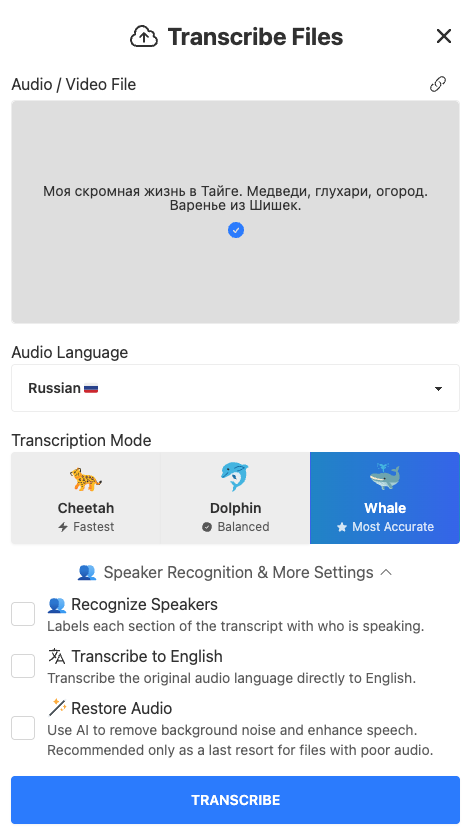
With a free account, users can create up to three transcriptions per day, each up to 30 minutes long.
TurboScribe can transcribe a wide range of audio and video formats, including .mp3, .mp4, .m4a, .mov, .aac, .wav, .ogg, .opus, .mpeg, .wma, and .wmv files. You can also import audio or video directly from platforms such as YouTube, Dropbox, Google Drive, Facebook, Vimeo, or X by clicking the link icon in the upper right corner.
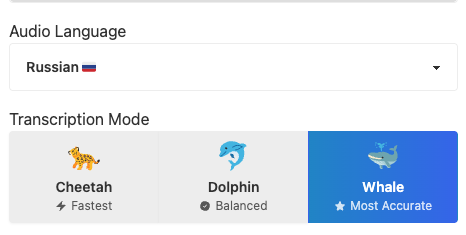
Before starting the transcription, you select the language and choose between three processing modes: Cheetah (fastest), Dolphin (balanced), or Whale (most accurate). Even the Whale setting usually completes the transcription quite quickly. Additional options allow you to enable speaker recognition (identifying different speakers in the recording) and to generate an English translation of the transcript.
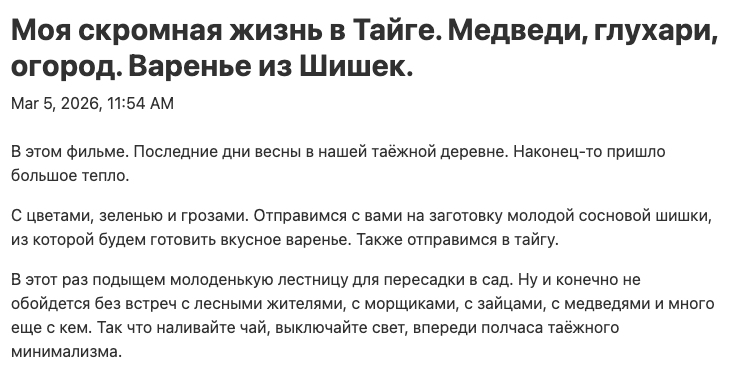
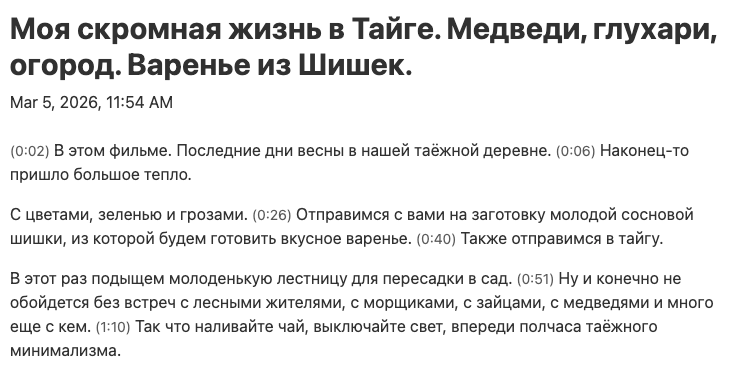
Once the transcription is complete, it can be downloaded in a variety of formats suitable for word processing or subtitles. A particularly useful feature is the ability to toggle timestamps on or off in the transcript with a single click.
|
|
|
You can also download an audio version of the file.
A newer feature allows you to use a custom GPT that can generate summaries or other resources based on the transcript. When this feature is used, ChatGPT opens and includes this custom GPT as one of the GPTs listed on the navigation on the left side of the ChatGPT interface.
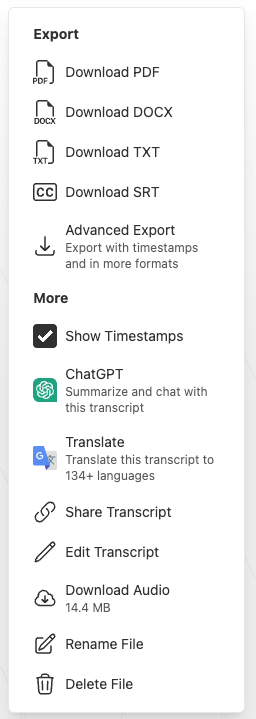
In my experience, TurboScribe produces highly accurate transcriptions, even when speakers use accented varieties of a language. The timestamp feature is especially helpful; I typically save two versions of each transcript, one with timestamps and one without. The speaker recognition feature was somewhat less accurate, though this will likely improve as the tool continues to develop.
What Can You Do With TurboScribe Transcripts?
The most obvious use of this tool is enabling teachers to quickly generate transcripts that can support the design of activities based on audio or video materials. The transcript can be searched for particular vocabulary or grammatical constructions to enable students to learn from language in context, and relevant snippets of texts can be transferred to learning management systems, slideshows, or activities to allow students to engage with the language in pre-listening activities and comprehension checks.
Once created, the transcript can also be uploaded to an AI tool such as NotebookLM, which can then generate initial drafts of activities based on the media. For example, my fourth semester Russian class has a unit that is based on 3 episodes of a Russian sitcom, and uploading the TurboScribe transcripts of these episodes to NotebookLM means that I can ask it to develop activities based directly on the episodes.
Teachers could also encourage students to use TurboScribe to support their own learning. For example, students might select a video on a topic that interests them in the target language and generate a transcript. They could then use the transcript to create a vocabulary list or design activities to test their own comprehension. Students could even use their chosen video to teach a short lesson to their classmates.
Conclusion
TurboScribe is a simple but powerful tool that produces accurate transcriptions of audio and video in more than 98 languages. By automating the transcription process, it can save teachers significant time when preparing materials and open new possibilities for creating learning activities based on authentic media.
AI disclosure: Minimal use of AI: Generative artificial intelligence was used to polish wording.