
Make Everything Interactive with Genially
By Shannon Donnally Quinn, Michigan State University

https://www.doi.org/10.69732/HSPW3369
Introduction
Genially is a platform that allows educators to create a wide range of multimedia materials without needing advanced technical skills. Interactive images, infographics, draggables, games, slides, and videos can all be created in one place with relative ease. One of Genially’s greatest strengths is its extensive collection of templates, which can serve as the foundation for new creations and can be embedded into websites or course management systems. For clarity, it is worth noting that while testing this tool I was using the paid “Genius” Educator plan (which may now be called “Edu Pro”). I have tried to indicate whether specific features are available in the free version or require a Pro account, but readers should keep in mind that my experience did not reflect the limitations of the free tier.
| Name of tool | Genially |
| URL | https://app.genially.com/ |
| Purpose of tool | Create interactive media |
| Ease of use | Relatively easy to use, especially using templates |
| Cost | Free tier available; Pro tiers for educators are $7/month or $9.99/month (as of April 2026). |
Teachers who enjoy creating online materials have many platforms to choose from, and Genially is one such option. While some of its features overlap with other tools, Genially offers a number of affordances that are relatively unique, particularly in how easily it combines interactivity, animation, and visual design. At this point, Genially is only available as a web-based interface, and does not have an app.
Getting started with Genially is straightforward, largely because of the sheer number of available templates. Although some templates are limited to Pro accounts, including popular options like “Jeopardy”-style games, there are still well over a thousand free templates. In practice, many of the most pedagogically useful templates are available at no cost.
Some of the most appealing templates appear in the “Games” section. Genially includes a variety of familiar game formats that can be adapted for language learning, such as Who Wants to Be a Millionaire, Monopoly, and Parcheesi. These recognizable formats can make activities immediately engaging, and interactive elements are easy to customize. That said, instructors working with non-Roman alphabets should be aware of some limitations. While Genially technically supports other writing systems, many of the decorative fonts that give these templates their visual appeal do not work in languages like Russian. Cyrillic text often defaults to a generic sans serif font, and certain games that rely on preset letters, such as Hangman or word searches, cannot be adapted for non-Roman alphabets. In this area, Genially lags behind platforms like H5P, which allow instructors to define alternative character sets for activities such as word searches.
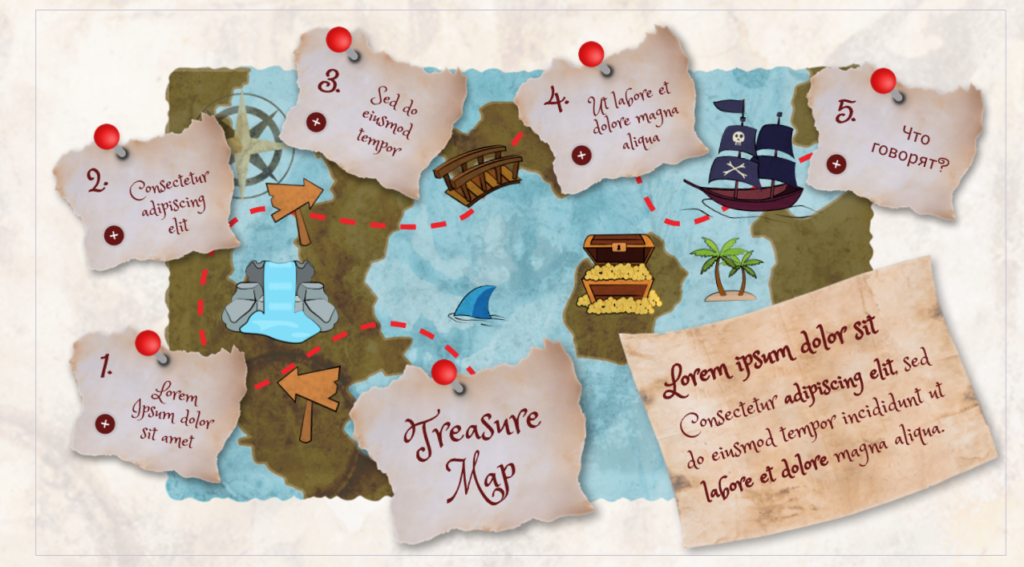
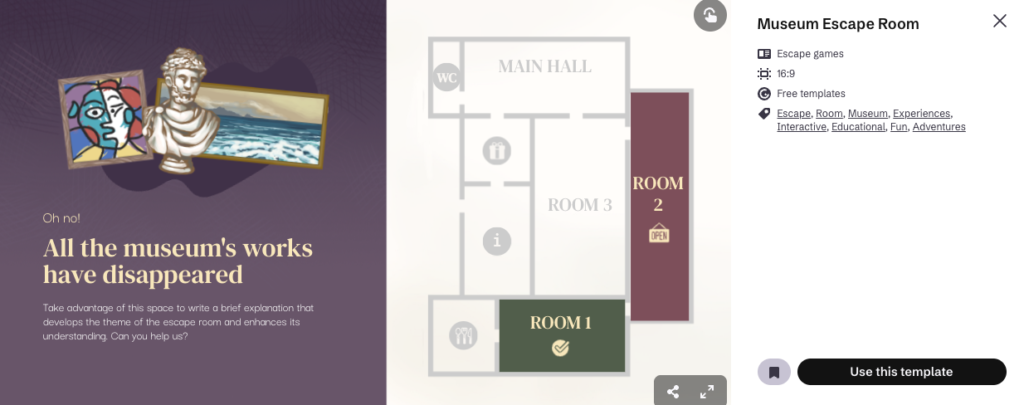
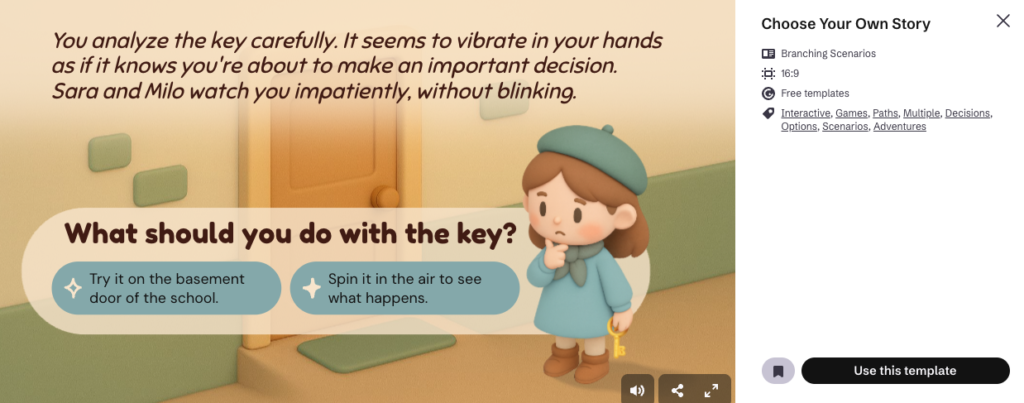
Genially also makes it relatively easy to design escape rooms and branching scenarios. In many cases, the visual structure and navigation are already in place, leaving instructors to focus primarily on adding text and content. While this still requires time and thoughtful design, the templates significantly lower the barrier to entry.
Like other Genially creations, games can be shared via a direct link, embedded in a web page, or run as a live session similar to Kahoot. Free users can host live sessions with up to 50 participants, who can join using a QR code or an access code on the Genially website.
Genially also offers a collection of widgets that are especially useful for classroom games, including virtual dice, customizable coins, timers, countdowns, stopwatches, and randomizing wheels. These elements can be added to nearly any Genially project. The “Widget Lab” includes even more playful interactive elements. These include a scoreboard for friendly competition, a Magic 8 Ball that can be customized in the target language, and a Simon Says game with adjustable audio. Several experimental widgets focus on visual interaction, such as scratch-off images or pixelated images that gradually reveal themselves. A “secret code” widget also allows designers to lock an action behind a word or phrase that learners must discover, which could be an element of a variety of games.
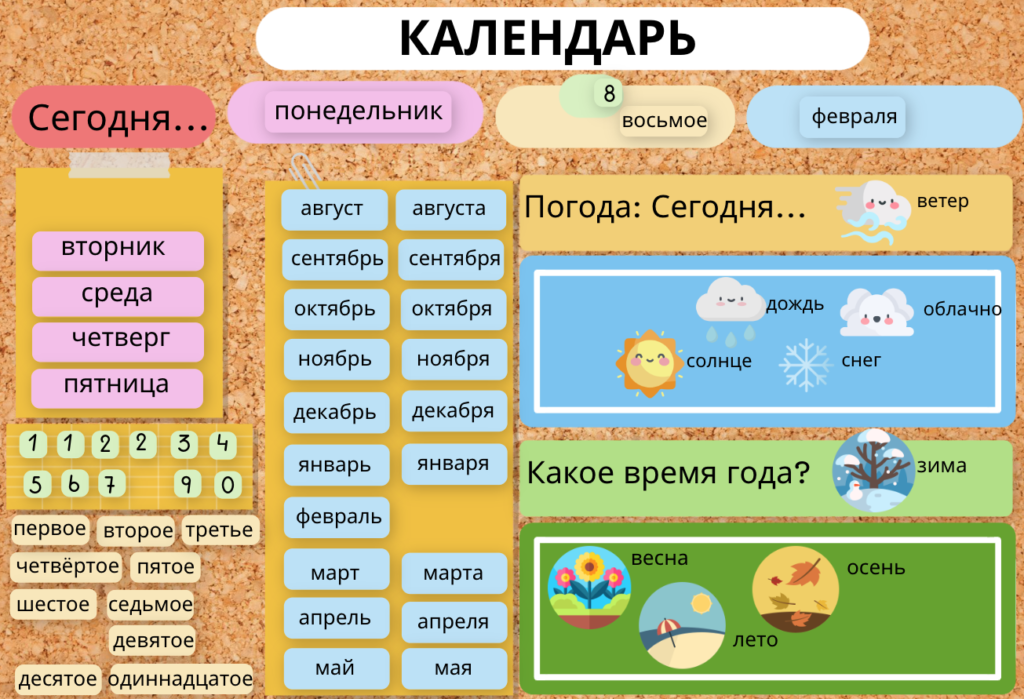
Another powerful feature is the ability to turn almost any object into a draggable element. This allows images to function as game pieces or lets learners manipulate objects according to specific criteria. For example, I adapted a calendar template so that learners could continually practice expressing the date and weather in Russian by moving elements on the screen.
|
|
|
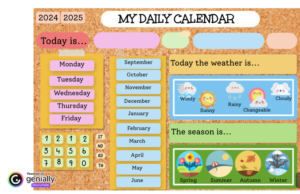
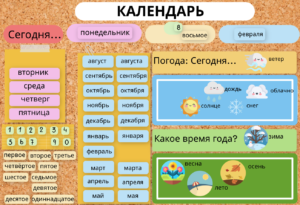
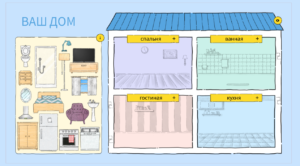
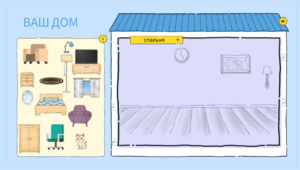
This drag functionality also opens the door to creative, open-ended activities. Learners could create magnetic poetry, design their own spaces, or assemble visual representations of concepts. For instance, a template originally designed for placing furniture in the correct rooms can be modified to let learners design their own room and then describe it to a partner. While platforms like H5P also offer drag-and-drop activities, Genially’s option to leave these activities unscored can be either a strength or a drawback, depending on instructional goals.
|
|
One limitation of Genially is its comparatively smaller image library. Platforms like Canva offer a wider range of illustrations and culturally specific visuals, including resources for less commonly represented cultures. Genially’s built-in search function can also be imprecise, though creators can upload their own images, which makes it possible to incorporate authentic cultural materials. Pro accounts additionally include AI image generation, though results can be uneven.
Genially supports the integration of audio and external content as well. A built-in recording tool allows for audio clips of up to ten minutes, and Pro users can access AI-generated voiceovers in approximately 50 languages or upload their own audio files. Content from external platforms, including Wikipedia, Google Docs, Google Forms, Google Maps, LinkedIn, and Spotify, can also be embedded directly into Genially projects.
In addition to games and draggables, Genially excels at creating interactive images, infographics, charts, timelines, and mind maps. For example, I used a template to create an interactive infographic about Uzbekistan, where learners could click on icons to explore different aspects of the country.
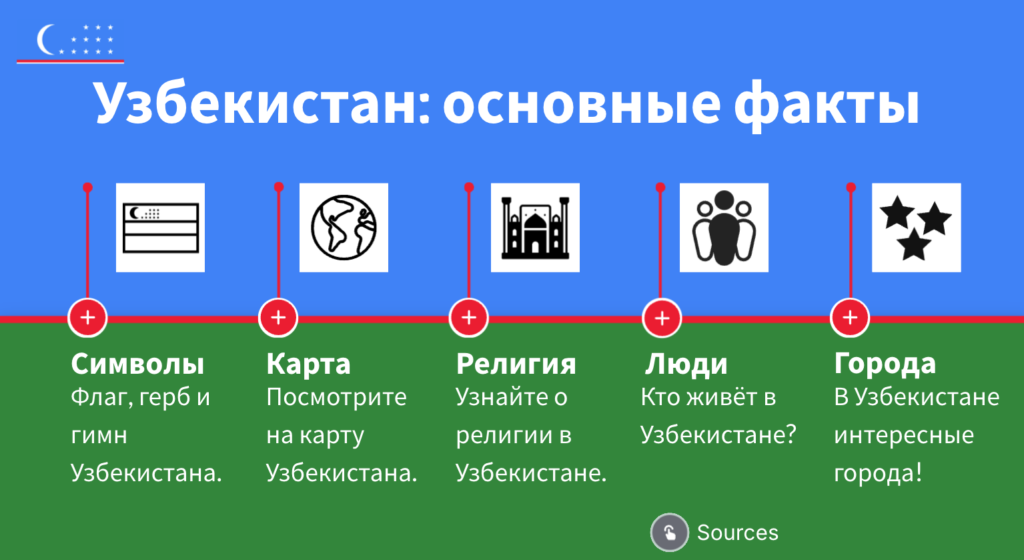
To make the design more culturally relevant, I adjusted the color scheme to reflect the Uzbek flag and imported icons from The Noun Project.
If none of the default templates fit a particular need, Genially also hosts a large community repository of user-created templates. As expected, quality varies, and more commonly taught languages are better represented. Some templates may be usable with minimal revision, though one drawback is that there does not seem to be a way to filter search results by language.
Animation is another defining feature of Genially. While animations can make materials feel modern and engaging, instructional design research suggests that animation without clear pedagogical purpose can distract from learning. Designers should therefore use animation thoughtfully, ensuring that it supports rather than competes with instructional goals. Additionally, coordinating animations can increase design time, as timing and sequencing need to be carefully managed.
Genially does offer analytics for tracking student engagement, though this feature is limited to Pro accounts. Pro users can also collaborate more easily on projects, with the ability to work on the same content and leave comments for each other. When one collaborator updates content in Genially, the change will be available to all collaborators.
Accessibility is an area where Genially is making progress, but still has room to improve. While alt text can be added to images, the platform does not actively prompt designers to include it, making it easy to overlook this important step.
Conclusion
Genially offers a rich set of tools for creating interactive, visually engaging learning materials, and it is especially appealing for educators who want to combine design, animation, and interactivity in one platform. It occupies a useful middle ground between tools like Canva, which emphasizes visual design, and H5P, which offers a wider range of interaction types but comes with a steeper learning curve. For language educators willing to invest time in thoughtful design, and to remain mindful of accessibility and cognitive load, Genially can be a flexible and creative space for building engaging learning experiences.
Minimal use of AI: Generative artificial intelligence was used to polish wording.